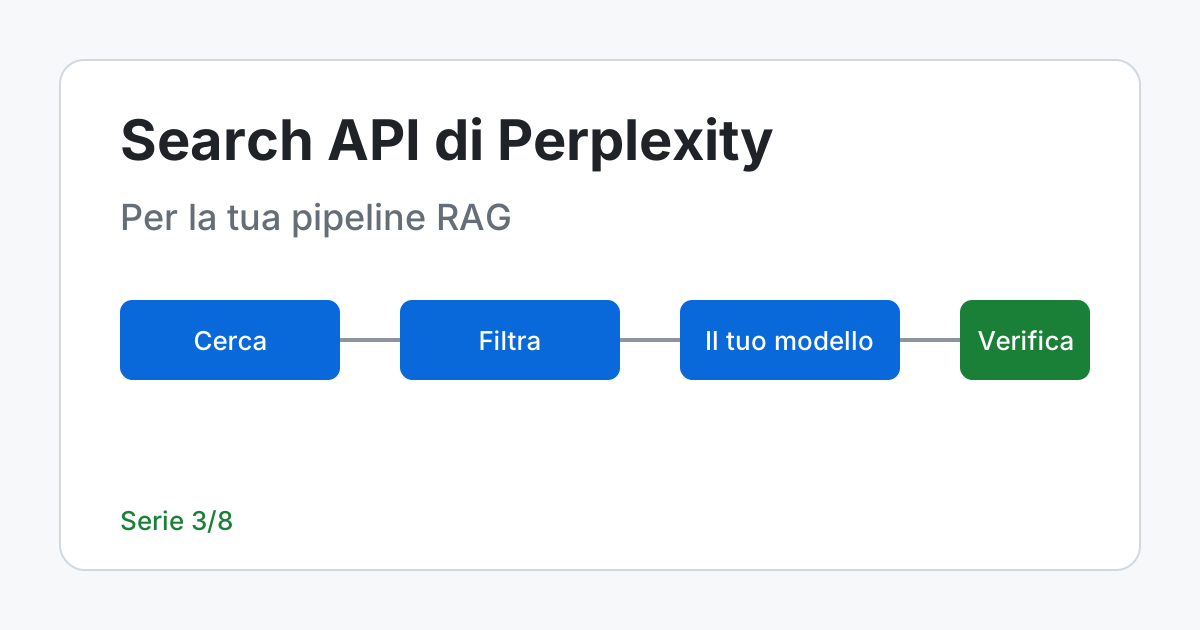
Direct answer. Perplexity's Search API is a single endpoint (POST https://api.perplexity.ai/search) that returns ranked web results, each with title, url, date, last_updated and a snippet that holds the text extracted from the page, and no generated text. It costs 5.00 dollars per thousand successful requests (1.00 with search_type: "fast") and a request with up to five queries is billed as one. It is the right choice when you already have a model and want to decide yourself which sources enter the prompt, how you show them and how many you keep. Its main limit: it hands you pages, not verified facts.
Parameters, limits and prices come from the "Search API quickstart", "Pricing", "Rate limits & usage tiers" and "Date & Time Filters" pages opened on 13 November 2026. I do not have a key and I have not called the service: the example results in this article are built by me in the documented shape, with invented content, and the scripts run without a network on test HTML pages. What the service really returns you will see only with your own key.
The request, parameter by parameter
| Parameter | Type | What it does (documentation) |
|---|---|---|
query | string or array | With an array, up to five related queries, each processed independently |
max_results | integer | From 1 to 20, default 10 |
max_tokens | integer | Ceiling on the page content across all results, up to 1,000,000 |
max_tokens_per_page | integer | Ceiling for each page |
country | string | ISO 3166-1 alpha-2 code (IT, DE, ...) for results more relevant to a country |
search_domain_filter | array | Up to 20 domains or paths; without a prefix it is an allowlist, with - a denylist; the two modes cannot be combined |
search_language_filter | array | ISO 639-1 codes, up to 20 |
search_after_date_filter, search_before_date_filter | string | Range on the publication date, month/day/year format (the page writes %m/%d/%Y, with the example 3/1/2025) |
last_updated_after_filter, last_updated_before_filter | string | Range on the last-modified date, same format |
search_recency_filter | string | hour, day, week, month, year, relative to today |
search_type | string | "fast" for reduced latency and cost; requires Python SDK 0.43.6 or later, TypeScript 0.38.6 or later |
In the response, next to the request identifier, there is the results list. Two practical consequences, both visible in the documentation's examples: the snippet can be an empty string and date can be null, so your code must handle them. And the date is not a guarantee of freshness: it is a datum that the page or the engine exposes, when it exposes it, and the date filters work on that datum. The page also warns that the Agent API fields (model, effort, instructions, tools, max_output_tokens) are not part of a search request.
With a key, the call has this shape (a schema to adapt, not run: the shape is the quickstart's, the values are mine):
from perplexity import Perplexity

client = Perplexity()  # reads PERPLEXITY_API_KEY from the environment

ricerca = client.search.create(
    query=["robots.txt file and crawlers", "robots.txt rules for assistant crawlers"],
    max_results=8,
    max_tokens_per_page=1500,
    country="IT",
    search_language_filter=["en"],
    search_domain_filter=["developers.google.com", "rfc-editor.org"],
)
for r in ricerca.results:
    print(r.title, r.url)
The two queries in the array count as one billed request and as two rate-limit units. max_tokens_per_page limits how much text is extracted from each page, and the "Pricing" page specifies that the amount of extracted text does not change the price: it is a lever on the size of your prompt, not on the bill. The two domains in the allowlist are an example chosen by me; remember that with an allowlist you exclude the whole rest of the web, including the page you needed.
Search, clean, cite: the part you run locally
The outline of a RAG pipeline with verifiable sources has three steps of your own: cleaning the results, having your model answer citing only the identifiers you gave it, checking the citations in code. The part you can try without a key and without a model is the first and the third, and the script that follows does it on synthetic results in the documented shape (invented content). In place of the model's answer there is a fixed string, written by me with a deliberately wrong citation; in place of the network, two HTML pages created in a temporary folder.
"""Cleaning the results and checking the citations, without a network and without a model."""
import re
import tempfile
from html import unescape
from pathlib import Path
from urllib.parse import urlsplit, urlunsplit

# SYNTHETIC results in the documented shape (title, url, snippet, date): invented content.
RISULTATI = [
    {"title": "Crawler guide", "url": "https://Example.test/guide/?utm_source=x#sec", "snippet": "The robots.txt file lives in the root.", "date": "2026-05-01"},
    {"title": "Crawler guide (copy)", "url": "https://example.test/guide", "snippet": "The robots.txt file lives in the root.", "date": None},
    {"title": "Page without text", "url": "https://example.test/empty", "snippet": "", "date": None},
    {"title": "Notes on traffic", "url": "https://example.test/notes", "snippet": "A user's traffic can be told apart.", "date": "2026-03-02"},
]
# What the model would say: a fixed string, NOT generated. One citation is deliberately wrong.
RISPOSTA = ("“the robots.txt file lives in the root” [1] and “every crawler always obeys” [2]. "
            "A third point cites a source that does not exist [9].")


def normalizza(url: str) -> str:
    p = urlsplit(url)
    query = "&".join(q for q in p.query.split("&") if q and not q.startswith("utm_"))
    return urlunsplit((p.scheme, p.netloc.lower(), p.path.rstrip("/") or "/", query, ""))


def pulisci(risultati):
    visti, puliti = set(), []
    for r in risultati:
        chiave = normalizza(r["url"])
        if chiave in visti or not r["snippet"].strip():
            continue
        visti.add(chiave)
        puliti.append({**r, "url": chiave})
    return puliti


def testo_pagina(html: str) -> str:
    senza_tag = re.sub(r"<[^>]+>", " ", html)
    return re.sub(r"\s+", " ", unescape(senza_tag)).casefold()


def verifica(risposta: str, fonti, cartella: Path):
    esiti = []
    for frase, n in re.findall(r"“([^”]+)”\s*\[(\d+)\]", risposta):
        n = int(n)
        if not 1 <= n <= len(fonti):
            esiti.append((n, "NONEXISTENT SOURCE"))
            continue
        file = cartella / (urlsplit(fonti[n - 1]["url"]).path.strip("/") + ".html")
        if not file.exists():
            esiti.append((n, "PAGE NOT REACHABLE"))
        elif frase.casefold() in testo_pagina(file.read_text(encoding="utf-8")):
            esiti.append((n, "sentence found in the page"))
        else:
            esiti.append((n, "SENTENCE ABSENT FROM THE PAGE"))
    for n in re.findall(r"\[(\d+)\]", risposta):
        if not 1 <= int(n) <= len(fonti):
            esiti.append((int(n), "NONEXISTENT SOURCE"))
    return esiti


fonti = pulisci(RISULTATI)
print(len(RISULTATI), "results ->", len(fonti), "after cleaning")
with tempfile.TemporaryDirectory() as d:
    cartella = Path(d)
    # Local test pages: the first contains the cited sentence, the second does not.
    (cartella / "guide.html").write_text("<p>The <b>robots.txt</b> file lives in the\nroot of the site.</p>", encoding="utf-8")
    (cartella / "notes.html").write_text("<p>Some crawlers ignore the rules.</p>", encoding="utf-8")
    for n, esito in verifica(RISPOSTA, fonti, cartella):
        print(f"[{n}] {esito}")

# Output:
# 4 results -> 2 after cleaning
# [1] sentence found in the page
# [2] SENTENCE ABSENT FROM THE PAGE
# [9] NONEXISTENT SOURCE
The code was run twice with identical output (Python 3.14, standard library only). normalizza brings the address to a comparable form (lowercase host, no fragment, no utm_ parameters, no trailing slash) and pulisci discards duplicates and results with an empty snippet: of four results, two remain. This cleaning has a price worth knowing: discarding the empty snippet also eliminates pages that might be useful, and the documentation shows results with an empty snippet next to full ones; in production you can choose to download those pages instead of throwing them away. The normalization, moreover, treats as equal two addresses that some sites treat as different.
verifica looks in the answer for sentences in curly double quotes followed by a number and checks that the sentence appears in the text of the corresponding page, after stripping the tags and normalizing spaces and case. The output has the three outcomes that matter: sentence 1 is in the page; sentence 2 cites a source that exists but does not contain those words; reference 9 corresponds to no result. The check holds only for verbatim quotations: a correct paraphrase would fail, and a sentence present in the page in a different context would pass. For paraphrased claims you need a sample read by a person or a second verification pass, and for this reason it is worth deciding in advance where a mistake is costly (contracts, rules, health) and always keeping a human reading there.
Three limits of this outline must be declared. The test pages are local files, not network responses: in production you would download the page, respecting its terms of use and its robots.txt, and you would have to handle pages that change, require JavaScript or answer with errors. The script does not prove that the model obeys the instruction to cite in quotes: it must be asked for in the prompt and checked on a sample. And "sentence present in the page" does not mean "authoritative page": the choice of sources, with the allowlist of domains, remains your decision.
Five queries in one request: the real count
An array of queries is convenient because it is billed as one request. But the rate limit counts every query: according to the limits page, POST /search allows 50 units per second with a burst of 50, regardless of the account's usage tier, and a five-query request consumes five units. The economic advantage is there, the one on the limit is not, and with a high load the 429 responses arrive sooner than the invoice suggests. The script compares the two units.
"""Billing and rate limit of the Search API: two different units."""
import math

LIMITE_UNITA_AL_SECONDO = 50  # POST /search, burst 50: "Rate limits & usage tiers" page
PREZZO_PER_MILLE = {"web": 5.00, "fast": 1.00}  # "Pricing" page


def conto(richieste: int, query_per_richiesta: int, tipo: str):
    costo = richieste / 1000 * PREZZO_PER_MILLE[tipo]
    unita_limite = richieste * query_per_richiesta
    # After the initial burst of 50, the sustained rate is 50 units per second.
    secondi_minimi = max(0, math.ceil((unita_limite - LIMITE_UNITA_AL_SECONDO) / LIMITE_UNITA_AL_SECONDO))
    return costo, unita_limite, secondi_minimi


def secondi_simulati(unita: int) -> int:
    """Second method: a bucket of 50 tokens that refills by 50 per second, in one-second steps."""
    gettoni, t, restanti = LIMITE_UNITA_AL_SECONDO, 0, unita
    while restanti > 0:
        presi = min(gettoni, restanti)
        restanti -= presi
        gettoni -= presi
        if restanti > 0:
            t += 1
            gettoni = LIMITE_UNITA_AL_SECONDO
    return t


print(f"{'requests':>9} {'query':>5} {'type':>4} {'cost $':>8} {'units':>6} {'min seconds':>11}")
for r, q, tipo in [(1, 1, "web"), (1, 5, "web"), (10_000, 1, "web"), (60, 5, "fast"), (1_800, 5, "fast")]:
    costo, unita, sec = conto(r, q, tipo)
    assert sec == secondi_simulati(unita), (r, q, sec, secondi_simulati(unita))
    print(f"{r:>9} {q:>5} {tipo:>4} {costo:>8.3f} {unita:>6} {sec:>11}")
print("formula and simulation agree on every row")

# Output:
#  requests query type   cost $  units min seconds
#         1     1  web    0.005      1           0
#         1     5  web    0.005      5           0
#     10000     1  web   50.000  10000         199
#        60     5 fast    0.060    300           5
#      1800     5 fast    1.800   9000         179
# formula and simulation agree on every row
The first two rows show the difference: a five-query request costs as much as a one-query request (0.005 dollars), but occupies five units of the limit. The last column is an estimate from the page's description (burst of 50, then 50 per second on average): 10,000 requests of one query each, sent as fast as possible, need at least 199 seconds. The same number comes out of two different models, a closed formula and a simulation in one-second steps with a bucket of 50 tokens; they are two calculations of mine on the same description, not a measurement of the real system, which uses an algorithm of which the page gives only the name (leaky bucket). The rows of 60 and 1,800 five-query requests correspond to an assumption I use in the scenario below.
A declared scenario: watching sixty topics every day
A hypothetical scenario, with numbers chosen by me to give the calculation a domain. An operations center wants to keep an eye on sixty topics (for example routes and mountain passes) and every morning sends one request per topic, each with five queries (strike, closure, weather, delays, customs), in fast mode. That is 60 requests a day, 1,800 a month: 1.80 dollars a month of Search API (the script's row), 300 limit units a day, which worry no limit of 50 per second.
The bill is the last of the worries. What goes wrong: false negatives (the news that the engine has not yet indexed) and missing dates. A routing decision that costs money is not based on a snippet: the system produces a list of alerts with links, a person confirms them on the official source, and the generic search remains a complement: sources with a feed of their own should be queried directly, and the absence of a result does not prove the absence of a piece of news.
When the Search API is not the answer
- Internal data. Company documents, tickets, price lists are not on the web: here you need your own index (embeddings plus a vector store).
- Contractual guarantees on data. The "Privacy & Security" page says that retention, use and security vary by API, model and account configuration, and spells out the model limitations of Zero Data Retention only for Agent API accounts; for the Search API it says nothing explicit. If you have contractual commitments, ask in writing (article 1).
- A ready answer without building anything. If you have neither a model nor a pipeline, the Agent API (article 2) goes further with less code, accepting a variable cost.
The three cases share the same question: what do you need that the service does not do. The Search API does one thing, retrieving pages; everything that comes after (reading, summarizing, citing, guaranteeing) is your code or another product, and it is better to notice before starting, not after the first month of work.
What you can do now
You can write a Search API request with the right parameters and you know which Agent API fields do not belong in it. You can clean a list of results and check locally that the cited sentences exist in the page, and you know where this check stops being enough. You can tell the billing unit from the limit unit and estimate how long a batch of requests takes. The next step, if you already have code on Sonar, is article 4.
← Article 2: the Agent API Article 4: from Sonar to the Agent API →
Frequently asked questions
How much does Perplexity's Search API cost?
5.00 dollars per thousand successful requests, 1.00 with search_type fast. A request with up to five queries counts as one billing unit, but every query counts toward the rate limit.
What rate limit does the Search API have?
50 units per second with a burst of 50, the same for all usage tiers. One query is one unit: a request with five queries consumes five.
Does the Search API generate an answer?
No. It returns results with title, URL, extracted text and dates. Your own model builds the answer; that is why you can control the sources and check in code that the citations exist.
Can I restrict the search to certain sites?
Yes, with search_domain_filter: up to 20 domains or paths, as an allowlist or a denylist (dash prefix), but not both in the same request.
Later in the series you will also find article 5 on the MCP server in Claude Code and Cursor, article 6 on costs, QPS and 429s, article 7 on PerplexityBot and robots.txt and article 8 on what is proven about getting cited.
Sources
- Perplexity, Search API quickstart - endpoint, parameters, value ranges, shape of the results, per-request billing; consulted on 2026-11-13
- Perplexity, Date & Time Filters - publication, modification and recency date filters, date format; consulted on 2026-11-13
- Perplexity, Pricing - 5.00 and 1.00 dollars per thousand requests, billing unit, cost examples; consulted on 2026-11-13
- Perplexity, Rate limits & usage tiers - 50 units per second with a burst of 50 and per-query counting; consulted on 2026-11-13
- Perplexity, Privacy & Security - variability of practices by API, model and account, and ZDR; consulted on 2026-11-13
Commenti
Caricamento commenti...
Sign in to comment