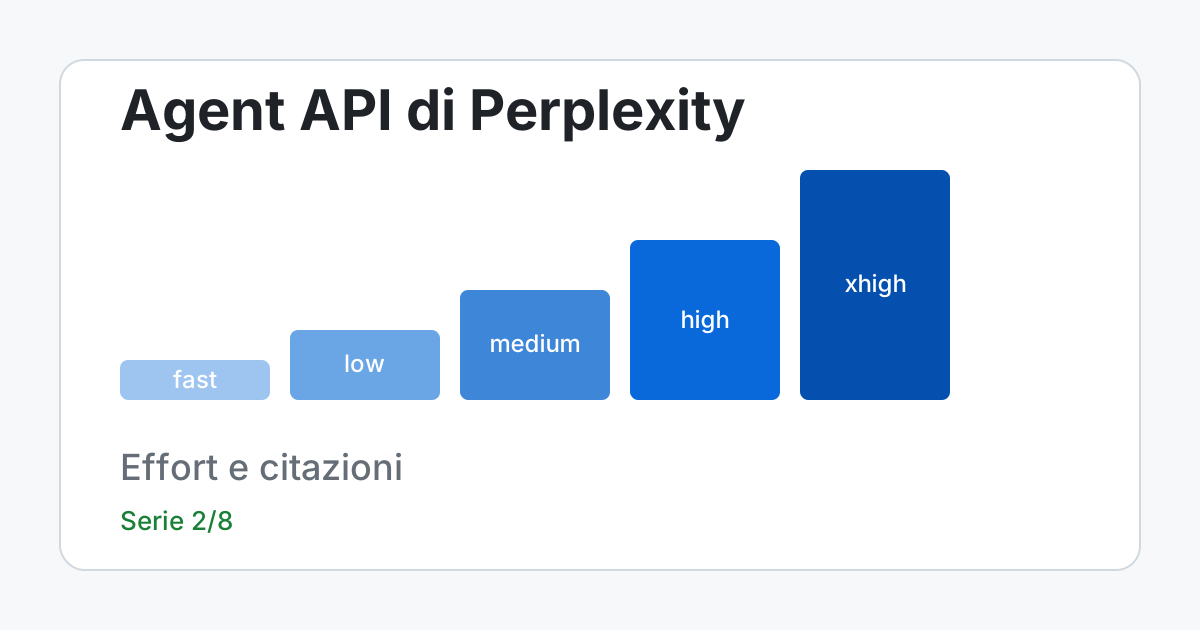
Direct answer. Perplexity's Agent API is called with client.responses.create(effort=..., input=...) and returns a text with inline sources. The parameter that decides cost, time and depth is effort, with six levels (fast, low, medium, high, xhigh, ultra). Each level is a ready-made package of model, tools, step ceiling and system prompt, and whatever you pass alongside overrides it. The cost to keep an eye on is not the level itself but how many tools the model invokes inside the ceiling, because every search is paid separately from the tokens.
The facts about the product come from the "Effort", "Web Search", "Agent API Models" and "Pricing" pages opened on 13 November 2026; the documentation says you can call a level by name (and receive the automatic updates) or pin its version. I do not have a key and I have not called the product: the two scripts in this article run without a network, on a response that I built myself in the documented shape and that is declared synthetic. In the rest of the article, what the model "answers" is always a schema, never a result.
The levels, in a table
The "Effort" page reports for each level the current configuration: model, step ceiling, reasoning, tools. The active version of the levels, in the page read today, is 2026-11-11.0.
| Level | Declared model | Tools | Max steps | Reasoning | Use suggested by the page |
|---|---|---|---|---|---|
fast | openai/gpt-6-luna (fallback openai/gpt-5.6-luna) | web search in fast mode | 1 | none | Single facts, definitions, short summaries |
low | openai/gpt-6-luna | fast search, fetch_url (1 URL) | 5 | minimal | Everyday questions with up-to-date information and light search |
medium | openai/gpt-6-luna | same as low | 15 | medium | Multi-hop browsing, aggregation across many sources |
high | openai/gpt-6.1-terra | same as low | 40 | medium | Deep, source-rich research, without code execution |
xhigh | anthropic/claude-opus-5-5 (fallback openai/gpt-6.1-sol) | web search, financial search, code sandbox | 300 | high | Open-ended work, with code execution |
ultra | anthropic/claude-opus-5-5 | not declared | not declared | not declared | Broad collection, long runs; called by name |
Three things can be read in the table and cannot be guessed. First, the step ceiling grows quickly (1, 5, 15, 40, 300): it is the maximum, not the average, and inside the ceiling the model decides. Second, search is in fast mode at every level up to xhigh, so 0.001 dollars per search, not 0.0025. Third, ultra has no configuration you can freeze: the page says it is called by name and can run for a long time, so background mode is advisable. From version 2026-11-11.0 the levels do not set a total ceiling on output tokens: each generation goes up to 128,000 tokens (within the model's limits) and you can impose an overall ceiling with max_output_tokens.
Do not copy the model names into your code: the level is the contract, the model is a detail that Perplexity can change. The same page says that, when it updates a level, it aims to stay in the same cost and latency band and to improve quality; it is a declared goal, not a guarantee measured by me.
The first call and what comes back
With a key, the call has this shape. It is a schema to adapt, not run here: I do not have a key and I claim no response from the product. The input rules come from the migration guide: input accepts a string or an array of items of the type {"type": "message", "role": "user", ...}; the system prompt goes in the instructions field; for multi-turn dialogues you pass previous_response_id or you send the earlier turns back inside input.
from perplexity import Perplexity

client = Perplexity()

risposta = client.responses.create(
    effort="low",
    instructions="Answer in English, in at most 120 words.",
    input="What is the difference between a crawler and an agent that reads a page on behalf of a user?",
)

print(risposta.output_text)
print(risposta.effort)  # the "Effort" page says: the level and version that ran
The last line is the one that matters for serious work. The "Effort" page says that the response includes an effort field with the level and version actually used (its example is fast@2026-10-16.0) and that sending that value back as effort pins the configuration you used. Recording it in your logs lets you know, weeks later, with which configuration a response was produced; pinning it protects you from a level update, at the price of not receiving the improvements. An unknown name, an unknown version or a malformed value produce HTTP 400, and the validator in article 1 catches them beforehand.
The sources: where they are and how to read them
The response is a typed output array that records the whole execution. The sources arrive in an item with type: "search_results", which carries the queries run and a results list; each result has id, url, title, snippet, date, last_updated and source. The text of the answer is in a message item, inside a content of type output_text. The markers in the text are [1] at fast and of the form [web:1] from low upwards, and the number points to the result's id.
Two warnings from the "Web Search" page. The first: whether the model puts markers in the text depends on the prompt, so they must be asked for; the migration guide says that the fast, low, medium and high levels already include inline citations, and for xhigh and ultra it does not say so, so ask for them in the instructions. The second: regardless of the markers, the source of truth for citations is the id and url fields of the search_results item. The script that follows works on a synthetic response that I built in the documented shape (invented content) and checks four things: that every marker has a source with that id, that the address is https, that the snippet is not empty, that no source is collected and then ignored.
"""Maps the [n] and [web:n] markers onto the sources. SYNTHETIC response, built by me."""
import re
from urllib.parse import urlparse

# Shape taken from the documentation's web_search page: "search_results"
# and "message" items inside "output". The content is invented: it is not a product response.
RISPOSTA = {
    "effort": "low@2026-11-11.0",
    "output": [
        {"type": "search_results", "queries": ["robots.txt perplexitybot"], "results": [
            {"id": 1, "title": "Crawler guide", "url": "https://example.test/guide", "snippet": "...", "date": "2026-05-01"},
            {"id": 2, "title": "Release notes", "url": "http://example.test/notes", "snippet": "", "date": None},
            {"id": 3, "title": "Page never cited", "url": "https://other.test/x", "snippet": "...", "date": "2026-01-10"},
        ]},
        {"type": "message", "role": "assistant", "content": [{"type": "output_text", "text":
            "The file is read from the site root[web:1]. A second crawler exists[web:2][web:7]."}]},
    ],
}

MARCATORE = re.compile(r"\[(?:[a-z]+:)?(\d+)\]")


def testo_risposta(risposta):
    return "".join(
        parte["text"]
        for voce in risposta["output"] if voce["type"] == "message"
        for parte in voce["content"] if parte["type"] == "output_text"
    )


def fonti_per_id(risposta):
    return {
        r["id"]: r
        for voce in risposta["output"] if voce["type"] == "search_results"
        for r in voce["results"]
    }


def controlla(risposta):
    fonti = fonti_per_id(risposta)
    citati = [int(n) for n in MARCATORE.findall(testo_risposta(risposta))]
    problemi = []
    for n in sorted(set(citati)):
        f = fonti.get(n)
        if f is None:
            problemi.append(f"marker {n}: no source with that id")
        elif urlparse(f["url"]).scheme != "https":
            problemi.append(f"marker {n}: url is not https ({f['url']})")
        elif not (f.get("snippet") or "").strip():
            problemi.append(f"marker {n}: empty snippet, nothing to check against")
    for n in sorted(set(fonti) - set(citati)):
        problemi.append(f"source {n}: present but never cited")
    return citati, problemi


citati, problemi = controlla(RISPOSTA)
print("effort recorded:", RISPOSTA["effort"])
print("markers found:", citati)
for p in problemi:
    print("-", p)

# Output:
# effort recorded: low@2026-11-11.0
# markers found: [1, 2, 7]
# - marker 2: url is not https (http://example.test/notes)
# - marker 7: no source with that id
# - source 3: present but never cited
The output shows three intended problems. Marker 2 cites a source with a non-https address (and with an empty snippet: the elif chain reports only the first defect per marker); marker 7 has no source at all, the most serious case because it is an empty citation; source 3 was collected and never used, which is not an error but a signal of how much of the work (and of the cost) did not reach the text. The expression \[(?:[a-z]+:)?(\d+)\] accepts both [1] and [web:1]; if your front end uses only \[(\d+)\] it will not see the markers of the levels from low upwards. Two tests worth adding: every address on the map responds, and the cited sentence really appears on the page (article 3 shows how to do the second without a network). A marker being present does not prove that the page says that thing.
Filters and tools: what is overridden and what is added
If you pass effort together with other fields, your fields win. The tools array is the exception: it merges per tool, so listing web_search with its filters does not remove fetch_url, which keeps running. To restrict the search to one source and one time window you add the tool with its options (schema to adapt, not run):
risposta = client.responses.create(
    effort="low",
    input="What does the official documentation say about rate limits?",
    tools=[{
        "type": "web_search",
        "max_results": 8,
        "max_tokens_per_page": 2000,
        "filters": {
            "search_domain_filter": ["docs.perplexity.ai"],
            "search_recency_filter": "month",
        },
    }],
)
The block restricts the search to a single domain and to the "last 30 days" window, limits the collected results to eight and the tokens extracted from each page to 2,000. The documented parameters for web_search are search_type ("web" or "fast"), max_results (from 1 to 50), max_tokens, max_tokens_per_page, user_location (next to filters, not inside it) and, in filters, search_domain_filter (up to 20 domains or URLs, with a - prefix to exclude), search_recency_filter (hour, day, week, month, year) and four date filters in the MM/DD/YYYY format. The mistake to avoid is mixing allowed and denied domains in the same list: the page says to use one mode only.
To know which tools really ran, look at the usage object of the response: the page shows usage.tool_calls_details.search_web.invocation, and where present usage.cost.total_cost reports the calculated cost of the request. From a reviewer's point of view it is the difference between "the model searched" and "the model made N searches".
Streaming and long runs
The Agent API emits typed server-sent events. For the text you handle response.output_text.delta; tool calls and reasoning arrive as response.output_item.* and response.reasoning.* events, not as pieces of text, and a consumer written for the old choices format would ignore them or be confused by them. With background: true the request starts and is polled by identifier with GET /v1/agent/{id}: the state is non-terminal while it is queued or in_progress, and terminal with completed, failed, cancelled or incomplete.
Mind the count of requests: the limits page says that status checks (GET /v1/agent/{id}) also count toward the organization's requests-per-second limit, and that with a limit of 1 request per second (tier 0) a check every second leaves no room for new requests. You poll with growing delay, not at fixed intervals; article 6 turns it into code. If the organization exhausts the token limit while the job runs, the state stays in_progress with a paused object: you keep polling, you do not resend.
The cost: two parts that add up
A request to the Agent API costs the model's tokens plus the tools invoked. The token rates are published per model in the "Agent API Models" page, in dollars per million tokens; those for the tools are in "Pricing". The script adds up the items for a hypothetical request at the low level, with a usage I chose myself (18,000 input tokens plus 2,000 read from the cache, 1,500 output, four fast searches and one fetch_url): it is not a measurement of a real request, it is a way to see where the total comes from.
"""Cost of a hypothetical request at the low level, with the rates read on 2026-11-13."""
from decimal import Decimal as D
from fractions import Fraction

MILIONE = D(1_000_000)
TARIFFE = {  # dollars per million tokens, openai/gpt-6-luna up to 272k tokens
    "input": D("0.10"), "cache": D("0.01"), "output": D("0.50"),
}
STRUMENTI = {"web_search_fast": D("0.001"), "fetch_url": D("0.0005")}

# HYPOTHETICAL usage, chosen by me: it is not a measurement.
uso = {"input": 18_000, "cache": 2_000, "output": 1_500}
chiamate = {"web_search_fast": 4, "fetch_url": 1}

voci = {k: D(uso[k]) * TARIFFE[k] / MILIONE for k in uso}
voci |= {k: STRUMENTI[k] * n for k, n in chiamate.items()}
totale = sum(voci.values())
for nome, valore in voci.items():
    print(f"{nome:16} {valore:.6f} $")
print(f"{'total':16} {totale:.6f} $")

# Second, independent calculation: exact fractions.
f = sum(Fraction(uso[k]) * Fraction(str(TARIFFE[k])) / 1_000_000 for k in uso)
f += sum(Fraction(str(STRUMENTI[k])) * n for k, n in chiamate.items())
assert f == Fraction(str(totale)), (f, totale)
print("second calculation (fractions): agrees")

# Ceiling for the tools alone at the high level: at most 40 calls, the dearest costs 0.001 $.
print(f"tool ceiling high: {40 * STRUMENTI['web_search_fast']:.3f} $")

# Output:
# input            0.001800 $
# cache            0.000020 $
# output           0.000750 $
# web_search_fast  0.004000 $
# fetch_url        0.000500 $
# total            0.007070 $
# second calculation (fractions): agrees
# tool ceiling high: 0.040 $
The line to look at is the proportion: in this example the tools (0.0045 dollars) weigh more than the tokens (0.00257), because the model chosen by low costs little per million tokens and every search has a fixed price. With a longer request or a dearer model the balance flips, which is why the cost must be read request by request in the usage.cost field, when there is one, and not estimated once and for all. The second calculation, with exact fractions, agrees on the total of 0.00707 dollars: I checked the arithmetic, not the usage. The last line says that at the high level, where the page declares at most 40 tool calls, the tools alone do not exceed 0.04 dollars as long as search stays in fast mode; the tokens of openai/gpt-6.1-terra are outside that figure, because in the model table read today that model has no row.
Choosing the level with a method, not with an impression
Going up a level changes three things together: the model, the step ceiling and the tools available, so you cannot isolate which of the three improves the answer. Perplexity publishes internal benchmarks on the migration page, but they are results declared by the vendor and I do not report them as proof. The method I propose is less elegant and more reliable:
- Put together 30-50 real questions from your product, with the expected answer or at least the facts that must appear.
- Run them at
fast,lowandmedium; record theeffortfield with its version, the tool calls, the tokens, the cost where present and the time. - Choose the lowest level that passes your criterion, and check by hand on a sample that the sources support the claims.
The order matters: without the first step the second measures nothing, and without the third the highest level always wins, because it is the most complete and the dearest. The criterion I recommend is "every claim has a source that supports it": it has to be checked by a person on a sample, because no marker alone proves that the cited page says that thing.
Common mistakes
- Thinking that
reasoning.effortis the same aseffort. The documentation tells them apart:effortchooses the package,reasoning.effortcontrols only the reasoning of the chosen model. - Passing
effortandprofiletogether. The page says a request cannot set both. - Setting
temperatureand expecting determinism. For the GPT-5, o1 and o3 families the migration guide says thattemperatureandtop_pare ignored, and thattemperature: 0does not guarantee identical outputs even where the parameter applies; for the other models the page gives no list, so do not take it for granted. - Treating the response as text. The
outputarray contains the audit of the execution: keeping at least the source identifiers and the tool calls is what lets you explain an error three weeks later.
The four mistakes have the same root: treating a configurable package as if it were a fixed model. The level changes with the versions, the sampling parameters depend on the underlying model and the response is a trace, not a string. For repeatable tests pin the level's version and compare facts, not strings.
A declared scenario: checking a message about a product recall
A hypothetical scenario, with invented people and hours to give the example a domain. Anna receives in the family group a message about an alleged recall of a children's product. Searching by hand on institutional sites takes her ten minutes and she often gives up. A small module of hers sends the question at the low level with search_domain_filter limited to the competent authority's sites and asks to answer only if it finds a source in those domains. The cost of the tools is that of the script above, in the order of a cent.
What goes wrong: the answer can say "confirmed" while citing a page that talks about another batch or another product. For this reason the module shows the list of links and Anna's rule is just one: before forwarding, she opens the page and reads the product name. The API serves to know where to look, not to replace reading. For any field where a mistake is costly (rules, contracts, health) the same pattern holds: the answer with sources is an orientation, every reference is checked on the official source before being used, and no line of an act or an opinion is born from a generated text.
What you can do now
You can read the six effort levels for what they declare (model, steps, tools, reasoning) and you know why they should not be copied into code. You can pin the version of a level with the response's effort field, extract the sources from the search_results item, check locally that the markers have a source, and add up tokens and tools to know where a cost comes from. You have a method for choosing the lowest level that meets your criterion. In article 3 you find the other road, the Search API, where the model is yours.
← Article 1: the map of the APIs Article 3: the Search API for your RAG →
Frequently asked questions
Which effort levels does Perplexity's Agent API have?
fast, low, medium, high, xhigh and ultra. Each is a package of model, tools, step ceiling (1, 5, 15, 40, 300 for the first five) and system prompt; the fields you pass alongside take precedence over the defaults.
How do I get the URLs of the cited sources?
In the output array look for the item of type search_results: each result has an id and a url, and the inline marker ([1] or [web:1]) points to that id. The source of truth for citations is id and url, not the markers.
Can I pin a level's version?
Yes: the response includes the effort field with the version (for example fast@2026-10-16.0) and that value can be sent back as effort to pin the configuration. Calling the level by name gives you the automatic updates.
How much does an Agent API request cost?
The model's tokens at the rates of the models page plus the tools: 0.0025 dollars per standard search, 0.001 in fast mode, 0.0005 for fetch_url. The number of tools invoked varies within the level's step ceiling.
Later in the series you will also find article 5 on the MCP server in Claude Code and Cursor, article 7 on PerplexityBot and robots.txt and article 8 on what is proven about getting cited.
Sources
- Perplexity, Agent API: effort levels - configuration of the six levels, version
2026-11-11.0, pinning and the response'seffortfield; consulted on 2026-11-13 - Perplexity, web_search tool - parameters, filters, shape of
search_resultsand ofusage; consulted on 2026-11-13 - Perplexity, Agent API Models - per-million-token rates of
openai/gpt-6-lunaand the discount on cache reads; consulted on 2026-11-13 - Perplexity, Pricing - tool rates and the formula for the cost of a request; consulted on 2026-11-13
- Perplexity, migration guide - request and response shape, streaming, inline citations, ignored parameters; consulted on 2026-11-13
- Perplexity, Background mode - request states and checking by identifier; consulted on 2026-11-13
- Perplexity, Rate limits & usage tiers - status checks count toward the request limit; consulted on 2026-11-13
Commenti
Caricamento commenti...
Sign in to comment