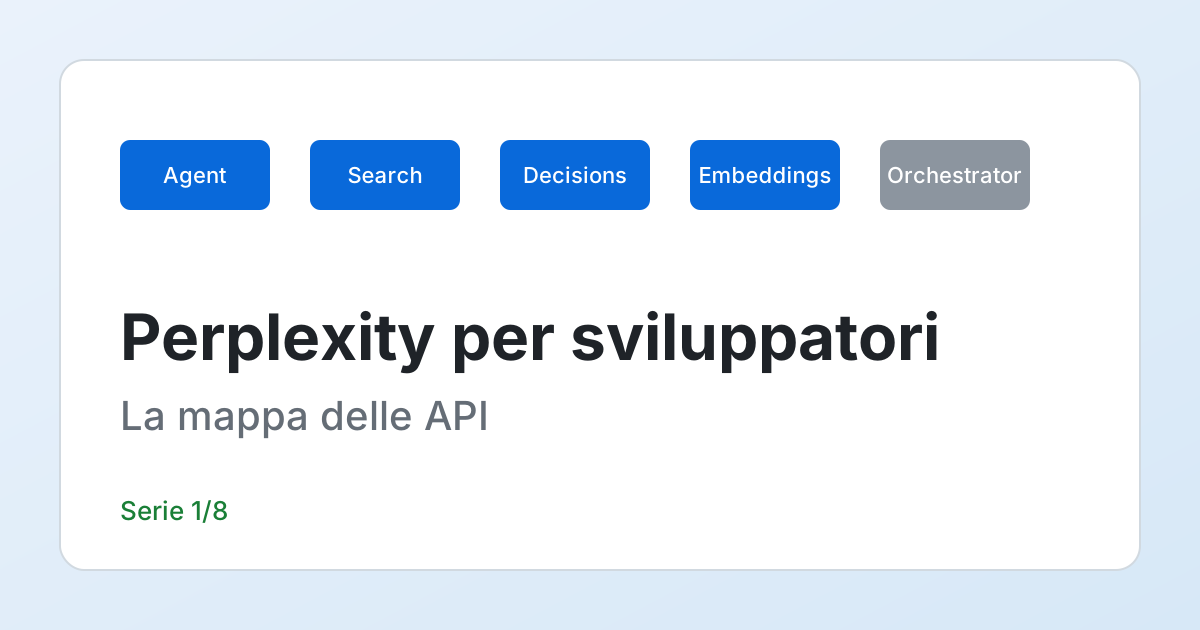
Direct answer. Today Perplexity offers developers five APIs under a single key and a single host (api.perplexity.ai): the Agent API (a ready-written answer, with citations), the Search API (ranked web results, no model), the Decisions API (probabilities on yes/no or multiple-choice questions), the Embeddings API (vectors) and the Orchestrator API (calls in the OpenAI or Anthropic formats, in private preview). If you are starting from zero, the choice comes down to one question: do you need a finished text with sources (Agent API), or do you need the raw sources to hand to your own model (Search API)? The old "Sonar" calls have been folded into the Agent API: if you have code on chat.completions, you have to migrate.
I am not affiliated with Perplexity, and this site does not use Perplexity for its own AI features: here it is the subject of the series, not a provider. Why the series matters to people who publish content as well is explained in the last two articles.
Every fact about the product, in this article as in the following ones, comes from the official developer documentation opened on 13 November 2026 (the list, with what I took from each page, is at the bottom). I do not have a key, I have not called the product, and I do not report any of its responses as if they were real: the example responses are schemas that I declare as such, and the scripts you find here run without a network. Model names, prices and limits change within months, so check the page again before you write a figure in a quote.
The five APIs in a table
According to the "Overview" page, the five APIs share a key and a host, and each has its own endpoint. You generate the key in the console (console.perplexity.ai).
| API | What it returns | Endpoint | When it makes sense |
|---|---|---|---|
| Agent API | A complete answer with citations; the model searches, reasons and uses tools | POST /v1/agent (the /v1/responses path is accepted) | You want a ready answer and accept that the number of steps, and therefore the cost, varies |
| Search API | Ranked web results as JSON (title, url, date, snippet with the extracted text); no model | POST /search | You already have a model and a RAG pipeline and only retrieval is missing |
| Decisions API | Calibrated probabilities on yes/no, multiple-choice or rubric questions, over text, JSON or images | POST /v1/decisions | You want a probability to compare against a threshold, not a label to interpret |
| Embeddings API | Vectors for semantic search and RAG | see its quickstart | You have a vector index of your own |
| Orchestrator API | Responses in the Chat Completions, Responses or Messages formats, routed to a healthy deployment | base https://api.perplexity.ai/orchestrator/v1 | Private preview: today it is not a starting choice |
Read the table by columns of responsibility: the further left of your code the pipeline sits (Agent API), the less of it you write and the less of it you control; the further right (Search, Embeddings), the more pieces are yours. On the Orchestrator, the two official pages I read describe the catalog differently (one says "any model in the catalog", the other "open-weight models hosted by Perplexity"): one more reason not to build on it while it is a preview. Sources: Overview and Quickstart, 13 November 2026.
Agent API versus Search API: the real trade-off
This is the decision that weighs the most, and it is not a matter of quality but of who controls what. The two roads differ in three points:
- With the Agent API you delegate everything: search queries, reading the pages, reasoning, wording. The
effortlevel sets a ceiling on the number of steps (1 atfast, 5 atlow, 15 atmedium, 40 athigh, 300 atxhigh), but inside the ceiling it is the model that decides how much to search. - With the Search API you control every step: what you search for, how many results you keep, with which model and prompt you turn them into text, how you show the sources. You write more code, but every successful request costs a known amount (5.00 dollars per thousand, 1.00 with the "fast" search).
- In between sits the choice people forget: you can use the Search API for retrieval and your own model for the answer today, and move a single flow to the Agent API tomorrow, because the keys and the host are the same.
The practical rule I apply: if the answer is the interface of the product (an assistant, a summary with sources), start from the Agent API; if it is a part of a pipeline you already have (RAG, checking a claim, enriching data), start from the Search API. Article 2 goes into the Agent API, article 3 into the Search API: choose by reading the one that matches your case and skip the other without losing the thread.
What it costs, for what is documented
The "Pricing" page lists the rates differently for each API, and it is better to read them next to their unit of measure:
- Web search in the Agent API: 0.0025 dollars per invocation (2.50 per thousand), 0.001 with
search_type: "fast".fetch_url: 0.0005 per invocation. - Search API: 5.00 dollars per thousand successful requests, 1.00 with
search_type: "fast". A request with up to five queries counts as a single billing unit; invalid requests, requests rejected by the rate limit, or requests that failed upstream are not charged. - Embeddings, per million tokens: from 0.004 dollars (
pplx-embed-v1-0.6b, 1024 dimensions) to 0.05 (pplx-embed-context-v1-4b, 2560 dimensions). - Decisions API: 0.02 dollars per million input tokens for
pplx-decider-v1.3, 0.01 for the flash version; output tokens are free.
The Agent API is the only one where the cost has two parts that grow together: the model's tokens and the tools invoked. The tokens are paid at the rates published page by page in the model list (for example openai/gpt-6-luna, the model that the low level declares, is at 0.10 dollars per million input tokens and 0.50 output, up to 272,000 tokens of context); the tools add on top. Article 2 shows the full calculation with a script. Sources: Pricing and Agent API Models, 13 November 2026.
And "Sonar"? Where the old models went
If you have already seen code with model="sonar-pro" and chat.completions, that is the old world. The migration page says that support for Sonar chat completions ended on 27 September 2026, that synchronous and streaming requests keep working because Perplexity rewrites them as Agent API requests, with a gradual rollout model by model, and that asynchronous requests are not rewritten and are no longer supported (they have to move to background mode). A member of staff, in the developer forum on 10 September 2026, answered someone who asked whether the old endpoint would stay after 27 September by saying that the Sonar chat completions endpoint would be retired that day. The behavior of a synchronous request can therefore change without you touching a line: article 4 explains how to notice it and how to migrate.
Orchestrator API and Comet: two things that are not your first choice
The Orchestrator API is described as a "private preview": it accepts calls in the Chat Completions, Responses or Messages formats and routes them to a healthy deployment. A private preview is not a base on which to build a production service, and I cannot verify it without access: I name it because it appears in the overview, and I do not dedicate an article to it.
Comet is a browser with an assistant that acts on the user's behalf. The official page did not answer me: it rejected the automated request with HTTP 403. For that reason I write nothing about its features, platforms or prices, and from the point of view of someone who develops I treat it as a client, not as an integration surface. One thing, however, concerns anyone who publishes web pages, and I read the source in full: in the post "Agentic Browser Security: Indirect Prompt Injection in Perplexity Comet", published on 20 August 2025, Brave's researchers describe how instructions hidden in a page (white text on a white background, HTML comments, or a user's comment behind a "spoiler" tag on Reddit) were executed by the assistant during a "summarize this page", up to a demonstration of account takeover on an example they built.
Before drawing a rule from it, it is worth weighing the source. It is an analysis published by a competitor (Brave develops its own browser with an assistant), with a demonstration built by the authors and without independent review: it is proof that the flaw was reproducible, not a measure of how widespread it was. The post's timeline is precise: report to Perplexity on 25 July 2025, an initial fix on 27 July judged incomplete on the 28th, a final test on 13 August indicating the problem was fixed, publication on 20 August, and a later update in which Brave writes that, on new tests, Perplexity had not yet fully mitigated that kind of attack. What holds today, I do not know. The rule that holds anyway is for those who develop: user-generated content is an attack surface for any agent that reads the page, and the text of a page must never be treated as if it were an instruction from your user.
First contact: installing, authenticating, validating a request
There are two official SDKs: pip install perplexityai for Python and npm install @perplexity-ai/perplexity_ai for TypeScript. Both read the key from the environment variable PERPLEXITY_API_KEY; the quickstart warns never to print it, not even in part, because it would end up in the shell history and in the logs. If you do not have a key yet, the useful work to do right away is another: understanding the shape of the requests before spending a cent.
The script that follows builds and validates, without sending them, requests for the Agent API and for the Search API according to the documented schema. It is a check of mine, written from the pages I read: it does not replace the server, which remains the arbiter (for an unknown effort level the documentation says it answers HTTP 400, which I did not try here). It serves two purposes: making trivial errors fail locally, and showing which fields belong to which API, a frequent mistake when switching from one to the other.
"""Builds and validates, without sending them, two requests following the documented schema."""
import json
import re

EFFORT = {"fast", "low", "medium", "high", "xhigh", "ultra"}
FORMA_EFFORT = re.compile(r"^(?P<livello>[a-z]+)(@(?P<versione>latest|\d{4}-\d{2}-\d{2}\.\d+))?$")


def valida_agent(corpo: dict) -> list[str]:
    errori = []
    if "effort" in corpo:
        m = FORMA_EFFORT.match(str(corpo["effort"]))
        if not m or m["livello"] not in EFFORT:
            errori.append(f"unknown effort: {corpo['effort']!r}")
        if "profile" in corpo:
            errori.append("effort and profile cannot be passed together")
    elif "model" not in corpo and "models" not in corpo and "profile" not in corpo:
        errori.append("effort, model, models or profile is required")
    if "input" not in corpo:
        errori.append("input is missing")
    for strumento in corpo.get("tools", []):
        if strumento.get("type") == "web_search":
            n = strumento.get("max_results")
            if n is not None and not 1 <= n <= 50:
                errori.append(f"web_search.max_results outside 1-50: {n}")
            filtro = strumento.get("filters", {}).get("search_domain_filter", [])
            if len(filtro) > 20:
                errori.append("search_domain_filter: more than 20 entries")
            if any(v.startswith("-") for v in filtro) and not all(v.startswith("-") for v in filtro):
                errori.append("search_domain_filter: allow list and deny list together")
    return errori


def valida_search(corpo: dict) -> list[str]:
    errori = []
    q = corpo.get("query")
    if isinstance(q, list):
        if not 1 <= len(q) <= 5:
            errori.append(f"query: 1 to 5 entries, found {len(q)}")
    elif not isinstance(q, str) or not q.strip():
        errori.append("query missing or empty")
    n = corpo.get("max_results", 10)
    if not 1 <= n <= 20:
        errori.append(f"max_results outside 1-20: {n}")
    if corpo.get("search_type", "web") not in {"web", "fast"}:
        errori.append("search_type: web or fast")
    for campo in ("model", "effort", "instructions", "tools", "max_output_tokens"):
        if campo in corpo:
            errori.append(f"{campo} is an Agent API field, not a Search API one")
    return errori


PROVE = [
    ("agent", {"effort": "low", "input": "What is the robots.txt file?"}),
    ("agent", {"effort": "fast@2026-10-16.0", "input": "hello"}),
    ("agent", {"effort": "ultra-preview", "input": "hello"}),
    ("agent", {"effort": "low", "profile": "mine", "input": "hello"}),
    ("agent", {"effort": "low", "input": "x", "tools": [{"type": "web_search", "max_results": 80}]}),
    ("search", {"query": ["a", "b"], "max_results": 5, "search_type": "fast"}),
    ("search", {"query": "x", "max_results": 50, "effort": "low"}),
]

for tipo, corpo in PROVE:
    errori = (valida_agent if tipo == "agent" else valida_search)(corpo)
    esito = "OK" if not errori else "; ".join(errori)
    print(f"{tipo:6} {json.dumps(corpo, ensure_ascii=False)} -> {esito}")

# Output:
# agent  {"effort": "low", "input": "What is the robots.txt file?"} -> OK
# agent  {"effort": "fast@2026-10-16.0", "input": "hello"} -> OK
# agent  {"effort": "ultra-preview", "input": "hello"} -> unknown effort: 'ultra-preview'
# agent  {"effort": "low", "profile": "mine", "input": "hello"} -> effort and profile cannot be passed together
# agent  {"effort": "low", "input": "x", "tools": [{"type": "web_search", "max_results": 80}]} -> web_search.max_results outside 1-50: 80
# search {"query": ["a", "b"], "max_results": 5, "search_type": "fast"} -> OK
# search {"query": "x", "max_results": 50, "effort": "low"} -> max_results outside 1-20: 50; effort is an Agent API field, not a Search API one
The code was run twice with identical output (Python 3.14, standard library only). The lines to look at are the third and the last. ultra-preview is a name that no longer appears among the documented levels (today the sixth level is called ultra), and the validator rejects it: if you have code written on a preview name, a check like this finds it before the server does. The last request mixes an Agent API field (effort) into a search request: the documentation says those fields are not part of POST /search. Do not use it as a guarantee: if the documentation changes, the validator stays still and has to be updated by hand.
With a key, the two calls from the quickstarts have this shape. It is a schema to adapt, not run here:
from perplexity import Perplexity

client = Perplexity()  # reads PERPLEXITY_API_KEY from the environment

# A ready-written answer, with inline sources (Agent API)
risposta = client.responses.create(effort="low", input="What is robots.txt?")
print(risposta.output_text)

# Sources only, for your own pipeline (Search API)
ricerca = client.search.create(query="robots.txt", max_results=5)
for r in ricerca.results:
    print(r.title, r.url)
The two calls use the same client object but different methods and response formats: responses.create returns an object with output_text (and an output array that records the execution), search.create a results list with title, address and extracted text. There is no model behind the second: if you want the answer written, your model writes it, and how to check what it writes is covered in articles 2 and 3.
The API key: three habits that cost nothing
The quickstart insists on a point that seems trivial and is not: the key is read from the environment and is not printed. In practice, for a real service:
- One key per environment (development, production), so that a key leaked from a development log does not open the real spending.
- Never in the frontend. An Angular or React app that calls
api.perplexity.aifrom the browser exposes the key to anyone who opens the network tools; the call goes through your backend, which is also the right place to limit requests per user. - A spending cap of your own, regardless of the provider's: a per-day call counter in your service turns an infinite-loop bug into an error instead of an invoice.
The three habits hold for any paid API, not just this one; the last is the most neglected, because the provider's limit protects the provider, not your bill. In article 6 the counter becomes code. There is then a fourth topic, a different one: what you send in the queries.
What must not go into the queries
The "Privacy & Security" page says that, under the API terms of service, Perplexity does not use customer content to train generative models, that Zero Data Retention is not the default (it is available only to eligible customers, with account-level configuration and a written agreement) and that not all models support it. The page then lists the SOC 2 Type II report, a 2025 HIPAA assessment and the CAIQlite questionnaire, and points to the Trust Center for subprocessors; the GDPR is not named and personal data is processed under the Data Processing Addendum. Where the data is stored or processed the page does not say.
The point that surprises concerns the Agent API. The conversation state page says that the Agent API stores response state server-side, so that responses can be retrieved or continued with previous_response_id, and that store: false hides the response from reading but does not switch off storage; anyone with a ZDR agreement is invited to talk to their contact before using the stateful features. A customer who had promised ZDR to their own users on chat completions wrote about it in the forum on 24 August 2026 asking how to migrate; there is no staff reply in the thread. I do not draw a judgment on the product from this but a rule: before moving a flow with contractual commitments on data, ask in writing whether ZDR covers the endpoint and the models you will use.
Upstream, without waiting for the contract, you can make sure personal data does not enter the queries. This filter is a minimum; I ran it on four test sentences.
import re

CODICE_FISCALE = re.compile(r"\b[A-Z]{6}\d{2}[A-Z]\d{2}[A-Z]\d{3}[A-Z]\b", re.I)
EMAIL = re.compile(r"\b[\w.+-]+@[\w-]+\.[\w.-]+\b")


def query_sicura(testo: str) -> str:
    if CODICE_FISCALE.search(testo) or EMAIL.search(testo):
        raise ValueError("The query contains personal data: rephrase it.")
    return testo


PROVE = [
    "how the robots.txt file works",
    "order history for RSSMRA80A01H501U",
    "write to mario.rossi@example.org and summarize",
    "Mario Rossi, born in Lecce, has diabetes: what should I search for?",
]
for p in PROVE:
    try:
        query_sicura(p)
        print("passes  :", p)
    except ValueError as e:
        print("blocked :", p, "->", e)

# Output:
# passes  : how the robots.txt file works
# blocked : order history for RSSMRA80A01H501U -> The query contains personal data: rephrase it.
# blocked : write to mario.rossi@example.org and summarize -> The query contains personal data: rephrase it.
# passes  : Mario Rossi, born in Lecce, has diabetes: what should I search for?
The two regular expressions recognize an Italian tax code (codice fiscale: six letters, two digits, one letter, two digits, one letter, three digits, one letter) and an email address, and query_sicura raises an error instead of letting the query through. The last line of the output is the lesson: a name, a city and an illness written in prose pass undisturbed. The filter serves to make the most trivial case fail loudly; for health or judicial data you need a check upstream that decides which information may leave your system, not a regular expression.
The series index
- This map.
- Agent API: effort levels, answers and citations.
- Search API for a RAG pipeline of your own.
- From Sonar to the Agent API, without damage.
- The official MCP server in Claude Code, Cursor and VS Code.
- Costs, QPS limits and handling 429s.
- PerplexityBot and Perplexity-User: what you control with
robots.txt. - Getting cited: what is demonstrated and what is conjecture.
The order is that of a decision: first you choose the API (1-3), then you port the existing code (4), then you connect it to the development tools (5), then you make it hold up against limits and costs (6), and finally you look at the opposite face, that of people who publish content read by these systems (7-8). If you arrive from other series on the site, the points of contact are the MCP protocol (article 5) and the command-line configuration in Claude Code; for the privacy risks of an assistant that reads your code there is Security and Privacy with Claude Code.
What you can do now
You can tell the five APIs apart and say which one you need depending on who must control the process. You know what each costs, with its unit of measure, and where the cost of the Agent API has a part that is not read on the pricing page but in the response. You know that Sonar is no longer the starting point, what the documentation says about the behavior of synchronous requests, and why a key is kept out of the frontend. You have a script to validate a request before sending it and one to keep personal data out of the queries. The next step is article 2 if you want a ready answer, article 3 if you want the raw sources.
Frequently asked questions
How many APIs does Perplexity have for developers?
The documentation lists five: Agent API, Search API, Decisions API, Embeddings API and Orchestrator API (the latter in private preview). They share one key and the host api.perplexity.ai.
Agent API or Search API?
It depends on who must control the process. The Agent API returns an already cited answer but the cost depends on the number of steps; the Search API returns only results and has a predictable per-request cost, in exchange for more code of your own.
Can I still use the Sonar models?
The migration documentation read on 13 November 2026 says that support for Sonar chat completions ended on 27 September 2026, that synchronous and streaming requests are rewritten as Agent API requests and that asynchronous ones are no longer supported.
Is Zero Data Retention on by default?
No. The Privacy & Security page describes it as available only to eligible customers, with account-level configuration and a written agreement, and not supported by all models.
Sources
- Perplexity, API Overview - the five APIs, host, endpoints, Decisions and Embeddings models; consulted on 2026-11-13
- Perplexity, Quickstart - SDK installation, environment variable, shape of the calls and the warning about the key; consulted on 2026-11-13
- Perplexity, Pricing - rates for tools, the Search API, embeddings and Decisions; consulted on 2026-11-13
- Perplexity, Agent API Models - per-million-token rates of
openai/gpt-6-luna; consulted on 2026-11-13 - Perplexity, Migrate from Sonar to the Agent API - end of support on 27 September 2026 and the fate of synchronous, streaming and asynchronous requests; consulted on 2026-11-13
- Perplexity, Conversation state - server-side state storage and the behavior of
store: false; consulted on 2026-11-13 - Perplexity, Privacy & Security - ZDR, data use, certifications and subprocessors; consulted on 2026-11-13
- Perplexity Community, Sonar moving to Agents API - the staff reply of 10 September 2026 on the retirement of the endpoint; read on 2026-11-13
- Perplexity Community, Zero Data Retention with Agent API - a customer's question of 24 August 2026 (no staff reply in the thread); read on 2026-11-13
- Brave, Agentic Browser Security: Indirect Prompt Injection in Perplexity Comet - timeline of the report and description of the demonstration (a competitor's source, without independent review); published on 2025-08-20, read on 2026-11-13
Commenti
Caricamento commenti...
Sign in to comment