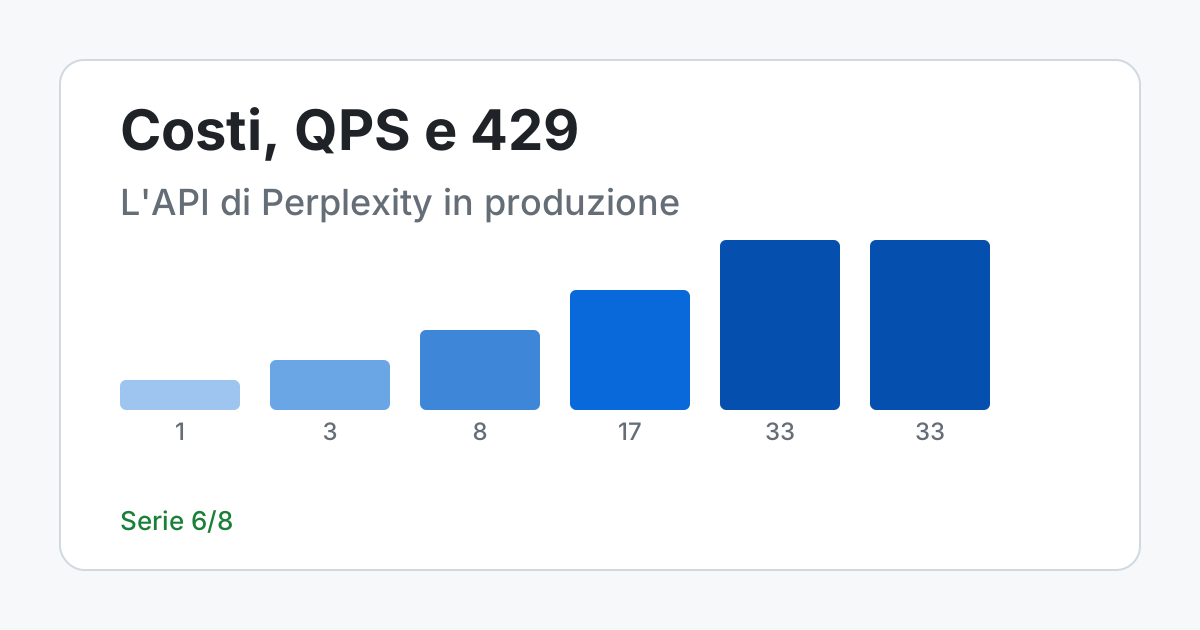
Short answer. With Perplexity's API the limits depend on how much you have purchased over the whole life of the account, not on your balance, and the Agent API has two of them: a limit of requests per second for the whole organization (1 at tier 0, 3 at tier 1, 8 at tier 2, 17 at tier 3, 33 at tiers 4 and 5) and a limit of tokens per minute and per hour for each model. The second is the one that surprises, because you can get a 429 even while staying well under the first. The Search API instead has 50 units per second for everyone. Here you will find how to tell the three kinds of 429 apart, three small programs tried without the product (retry, pacing, spending ceiling) and how to estimate a cost without knowing all of it.
Two limits, and the second one surprises you
A request to the Agent API has to pass two checks. The first is the limit of requests per second (QPS), single for the organization and shared among all models: each call to POST /v1/agent occupies a slot for one second, and so do the status check of a run (GET /v1/agent/{id}), cancellation, resumption and file download. The second is the token limit, per minute (TPM) and per hour (TPH), which applies per organization and per model: each model has its own budget, and the budget counts input tokens, output tokens and reasoning tokens, including the support models used inside tools such as fetch_url.
Both are shared by all the keys of the organization, so two services with different keys compete for the same quota. The token check looks only at usage already recorded: if the model's budget is already exhausted, the request is rejected with a 429 before it starts, whatever its size. And a request rejected for tokens still counts as a request in the QPS: a loop of tight retries on token 429s ends up triggering the request limit as well.
The tier table
| Tier | Credit purchased (cumulative) | Agent API QPS | TPM per model | TPH per model |
|---|---|---|---|---|
| 0 | $0 | 1 | 5,000,000 | 300,000,000 |
| 1 | $50 or more | 3 | 6,000,000 | 360,000,000 |
| 2 | $250 or more | 8 | 8,000,000 | 480,000,000 |
| 3 | $500 or more | 17 | 10,000,000 | 600,000,000 |
| 4 | $1,000 or more | 33 | 13,000,000 | 780,000,000 |
| 5 | $5,000 or more | 33 | 16,000,000 | 960,000,000 |
The tier is based on cumulative purchases and, once reached, does not go back down: the current balance has nothing to do with it. Moving to the next tier takes effect immediately. The most useful jump for anyone serving real users is from tier 0 to tier 1, which triples the QPS with 50 dollars purchased; between tier 4 and tier 5 the QPS does not change, only the token budget does.
For the Search API (POST /search) the limit is instead 50 units per second, with a burst of 50, the same for all tiers. Here billing and limit use different units: a request with an array of five queries is one billed request (0.005 dollars in standard mode, 0.001 with search_type: "fast") but consumes five units of limit. The Search API has no tokens, so there is no token budget to exhaust.
The three 429s and what to do
The documentation tells the Agent API's errors apart by reading the error.type field of the body:
request_rate_limit_exceeded: you exceeded the QPS. Wait forRetry-After(normally one second) and try again.token_rate_limit_exceeded: you exceeded the token limit and the message names the window (TPMorTPH). Wait at leastRetry-Afterand retry with exponential backoff and jitter.overloaded: it is not a limit of yours but the capacity of the upstream model. Retry with backoff, or use the fallback listmodels.
The three responses differ because the causes differ: the first error passes by itself in a second, the second says you have consumed a budget and that waiting is the only cure, the third does not depend on you and can be worked around by switching model. For token limits Retry-After is the time needed for enough usage to leave the window, plus up to 10 seconds of random delay added by the service, precisely so that all the rejected clients do not restart together; it is not a reservation, because other requests of the organization can consume the budget before you come back.
The program below implements this policy and tries it against a fake API that returns the three errors in sequence, with the bodies copied from the page (the one for overloaded is text invented for the test, because the page does not show one). The function wait_time chooses for each type: Retry-After plus a small jitter for the QPS, the maximum of Retry-After and a growing random wait for tokens and overload. A 429 of unknown type is not retried: it is raised again.
"""What to do on a 429 from the Agent API, tried against a fake in-process API.

The two shapes of the error body and the three error.type values come from Perplexity's
"Rate limits & usage tiers" page, read on 2026-11-13.
"""
import json
import random

REQUEST = "request_rate_limit_exceeded"   # QPS exceeded
TOKEN = "token_rate_limit_exceeded"       # TPM or TPH exceeded
OVERLOAD = "overloaded"                   # upstream model capacity, not a limit of yours

BODY_QPS = '{"error":{"message":"Request rate limit exceeded, please try again later.","type":"request_rate_limit_exceeded","code":429}}'
BODY_TOKEN = '{"error":{"message":"Token rate limit exceeded (TPM). Retry after the Retry-After interval.","type":"token_rate_limit_exceeded","code":429}}'
BODY_OVERLOAD = '{"error":{"message":"Model overloaded.","type":"overloaded","code":429}}'  # invented text for the test


class Error429(Exception):
    def __init__(self, body, retry_after):
        super().__init__(body)
        self.body, self.retry_after = body, retry_after


class TooManyAttempts(Exception):
    pass


def error_type(body):
    try:
        return json.loads(body)["error"]["type"]
    except (ValueError, KeyError, TypeError):
        return "unknown"


def wait_time(error, attempt, rng, base=1.0, cap=30.0):
    """Seconds to wait: never less than Retry-After, with jitter on top."""
    kind = error_type(error.body)
    if kind == REQUEST:
        return error.retry_after + rng.uniform(0, 0.5)
    if kind in (TOKEN, OVERLOAD):
        exponential = min(cap, base * 2 ** attempt)
        return max(error.retry_after, rng.uniform(0, exponential))
    raise error                       # a 429 I do not know is not retried blindly


def call(fn, sleep, rng, attempts=5):
    for n in range(attempts):
        try:
            return fn()
        except Error429 as e:
            if n == attempts - 1:
                raise TooManyAttempts(f"giving up after {attempts} attempts") from e
            sleep(wait_time(e, n, rng))


def fake_api(outcomes):
    """Returns a function that consumes the list of outcomes in order (exceptions or text)."""
    queue = list(outcomes)

    def fn():
        outcome = queue.pop(0)
        if isinstance(outcome, Exception):
            raise outcome
        return outcome
    return fn


if __name__ == "__main__":
    waits = []
    rng = random.Random(7)
    fn = fake_api([Error429(BODY_QPS, 1.0), Error429(BODY_TOKEN, 12.0),
                   Error429(BODY_OVERLOAD, 0.0), "response"])
    print("result:", call(fn, waits.append, rng))
    for n, (kind, s) in enumerate(zip([REQUEST, TOKEN, OVERLOAD], waits), 1):
        print(f"attempt {n}: {kind:28} wait {s:5.2f} s")

    always = fake_api([Error429(BODY_TOKEN, 10.0)] * 5)
    waits2 = []
    try:
        call(always, waits2.append, random.Random(7))
    except TooManyAttempts as e:
        print(f"{e}; total waits {sum(waits2):.1f} s in {len(waits2)} pauses")

    # Second, independent check: for the TOKEN type the jitter is uniform in [0, min(30, 2^n)]
    # so, with Retry-After at zero, the expected mean at attempt 3 is 8/2 = 4 seconds.
    e0 = Error429(BODY_TOKEN, 0.0)
    sample = [wait_time(e0, 3, random.Random(s)) for s in range(20000)]
    print(f"simulated mean at attempt 3: {sum(sample) / len(sample):.2f} s (theoretical 4.00)")
    assert abs(sum(sample) / len(sample) - 4.0) < 0.1
    assert all(wait_time(Error429(BODY_TOKEN, 12.0), 0, random.Random(s)) >= 12.0 for s in range(1000))
    print("never less than Retry-After in 1000 trials: confirmed")

# Command: python3 retry.py
# Output:
# result: response
# attempt 1: request_rate_limit_exceeded  wait  1.16 s
# attempt 2: token_rate_limit_exceeded    wait 12.00 s
# attempt 3: overloaded                   wait  2.60 s
# giving up after 5 attempts; total waits 40.0 s in 4 pauses
# simulated mean at attempt 3: 3.95 s (theoretical 4.00)
# never less than Retry-After in 1000 trials: confirmed
In the output the three waits have different shapes: a little over a second for the QPS, exactly 12 seconds for the token (the Retry-After is worth more than the random wait) and 2.60 seconds for the overload. The second case shows that with five attempts and a Retry-After of 10 seconds you give up after 40 seconds of pauses: the cap on attempts avoids the loop that never ends. At the bottom, two independent checks: the mean of twenty thousand simulated waits at attempt 3 is 3.95 seconds against 4.00 theoretical (the jitter is uniform between 0 and 8) and in a thousand trials the wait never falls below Retry-After. This program knows nothing about the official clients: where your client already retries on its own, before adding this layer check that the two do not multiply.
There is a case this program does not handle, because it is not an error: if the token budget runs out while a request is running, tokens are not reserved at the start, the request goes into a pause and resumes by itself. A pause is not an error and must not be resubmitted. In streaming you can see it by setting stream_options.include_token_pause_events: true, which adds the response.paused and response.resumed events; in background mode the response of GET /v1/agent/{id} reports status: "in_progress" with a paused object. Without streaming the pause shows up only as latency: the connection stays open for at most 30 minutes, and a request that your client abandons on timeout is cancelled by the service even if it is paused. For work that has to survive the client's timeout the page indicates background: true.
Staying under the QPS before the 429 arrives
The QPS uses a sliding window of one second: when the window is empty the requests can all arrive together up to the limit, the following ones are rejected until the oldest are more than a second old. Waiting for the 429 to find out is a waste, because every rejection still occupies a slot. The program below does the opposite operation: given a group of requests that arrive together and the tier's QPS, it computes when each one can start. Time is virtual, no real waiting.
"""When N requests that arrive together start, with a sliding window of one second.

QPS per tier from Perplexity's "Rate limits & usage tiers" page, read on 2026-11-13.
Time is virtual: the test does not really wait.
"""
from collections import deque

QPS_PER_TIER = {0: 1, 1: 3, 2: 8, 3: 17, 4: 33, 5: 33}


def schedule(n, qps):
    """Start times: each request occupies a slot for one second."""
    started, times, t = deque(), [], 0.0
    for _ in range(n):
        while started and t - started[0] >= 1.0:
            started.popleft()
        if len(started) >= qps:
            t = started[0] + 1.0              # wait for the oldest to leave the window
            while started and t - started[0] >= 1.0:
                started.popleft()
        started.append(t)
        times.append(t)
    return times


def peak_in_one_second(times):
    """Brute-force check: the maximum number of starts in a window [t, t+1)."""
    return max(sum(1 for u in times if t <= u < t + 1.0) for t in times)


if __name__ == "__main__":
    N = 25                                     # a class pressing "search" at the same instant
    print("tier  QPS  last start  peak in 1 s")
    for tier, qps in QPS_PER_TIER.items():
        times = schedule(N, qps)
        peak = peak_in_one_second(times)
        assert peak <= qps                     # never above the limit
        assert times[-1] == (N - 1) // qps     # closed formula: groups of qps per second
        print(f"{tier:>4}  {qps:>3}  {times[-1]:>9.0f} s  {peak:>11}")
    print("check with brute force and closed formula: they agree")

# Command: python3 window.py
# Output:
# tier  QPS  last start  peak in 1 s
#    0    1         24 s            1
#    1    3          8 s            3
#    2    8          3 s            8
#    3   17          1 s           17
#    4   33          0 s           25
#    5   33          0 s           25
# check with brute force and closed formula: they agree
With 25 simultaneous requests and tier 0 the last one starts after 24 seconds; at tier 1 after 8; at tier 3 after 1 second; from 33 QPS upward they all start at the same instant (in the peak column you can see that the 25 do not exceed the limit anyway). The brute-force check, which counts the starts in every window, and the closed formula (N-1)//QPS agree on all tiers. Honest limits: this model is the window described by the documentation, not a measurement of the service, and pacing inside your process does not see the requests of the other services of the same organization, which share the quota. It saves you 429s, it does not eliminate them.
A spending ceiling of your own
The provider charges you for what you consume. If you want an error in your code to become an exception instead of an invoice, the ceiling has to live in your service. The program below keeps a daily counter per key, in whole micro-dollars (no floating-point numbers in money calculations): charge adds the cost of a request and raises CapExceeded without recording anything when the total would exceed the ceiling. The date comes from an injected function, so the test can make a day pass without waiting for it.
"""Daily spending cap per key, in whole micro-dollars.

Prices from Perplexity's Pricing page, read on 2026-11-13:
Search API $5.00 per thousand requests, $1.00 with search_type "fast".
The counter is in memory: it holds for a single process. With several processes you need a shared store.
"""
from datetime import date
from fractions import Fraction

MICRO = 1_000_000
SEARCH_STANDARD = 5_000
SEARCH_FAST = 1_000


class CapExceeded(Exception):
    pass


class DailyCap:
    def __init__(self, cap_micro, today):
        self._cap = cap_micro
        self._today = today                    # function returning the date: injectable in tests
        self._spent = {}

    def charge(self, key, cost_micro):
        k = (self._today(), key)
        new = self._spent.get(k, 0) + cost_micro
        if new > self._cap:
            raise CapExceeded(f"{key}: ${new / MICRO:.3f} exceeds ${self._cap / MICRO:.2f}")
        self._spent = {**self._spent, k: new}   # new copy, the old dictionary is not mutated
        return new


if __name__ == "__main__":
    day = [date(2026, 11, 13)]
    cap = DailyCap(10 * MICRO, lambda: day[0])      # $10 a day per key

    admitted = 0
    try:
        while True:
            cap.charge("key-a", SEARCH_STANDARD)
            admitted += 1
    except CapExceeded as e:
        print(f"standard: {admitted} requests admitted, then: {e}")

    day[0] = date(2026, 11, 14)
    cap.charge("key-a", SEARCH_STANDARD)
    print("the next day the counter restarts: 1 request admitted")

    fast = DailyCap(10 * MICRO, lambda: day[0])
    n = 0
    while True:
        try:
            fast.charge("key-a", SEARCH_FAST)
        except CapExceeded:
            break
        n += 1
    print(f"fast: {n} requests admitted with the same cap")

    # Second, independent calculation: the page's example (10,000 standard requests = $50).
    month = Fraction(10_000) * Fraction("5.00") / 1000
    assert month == 50 and 10_000 * SEARCH_STANDARD == 50 * MICRO
    assert admitted == 10 * MICRO // SEARCH_STANDARD and n == 10 * MICRO // SEARCH_FAST
    print("10,000 standard requests in a month: $50.00 (as in the page's example)")

# Command: python3 cap.py
# Output:
# standard: 2000 requests admitted, then: key-a: $10.005 exceeds $10.00
# the next day the counter restarts: 1 request admitted
# fast: 10000 requests admitted with the same cap
# 10,000 standard requests in a month: $50.00 (as in the page's example)
With a ceiling of 10 dollars and the Search API in standard mode (0.005 dollars per request) 2,000 requests pass and the 2,001st is rejected; the next day the counter restarts; in fast mode (0.001) 10,000 requests pass. The last line confirms, with Fraction, the example on the pricing page: 10,000 standard requests in a month cost 50 dollars. The counter is in memory and holds for a single process: with several processes or several machines you need a shared store, and I did not run that variant.
This counter knows the price of a request only where it is fixed, that is for the Search API. For the Agent API the cost depends on the model, the tokens and the tools used: the pricing page says that, when present in a completed response, usage.cost.total_cost reports the computed cost of the request. Record that value on every response and compare it with the invoice after two weeks: you will have the real median cost per tier, which is the only number on which to base a quote.
How to estimate a cost without knowing everything
- The known part is the tools: invocations times rate. At
lowthe steps are 5 and parallel calls are off, so with a fast search at 0.001 dollars the maximum is 5 × 0.001 = 0.005 dollars of tools per request (afetch_urlcosts 0.0005). - The unknown part is the tokens: measure it on a real sample of 50-100 requests for each tier, reading the consumption from the responses.
- Add the two parts, add a margin and correct after two weeks by comparing with the invoice.
The order matters: without the sample of the second point the first is a number that looks precise and is not, and without the comparison of the third the margin is a guess. The service levels flex (0.5 times the token rate) and priority (2 times) apply only to the models that list them on the models page: check the one you use before counting on them. Tool prices do not change with the service level.
Where the limits change the design
Two hypothetical scenarios; the numbers are declared assumptions, the prices and limits are those documented today.
A class, one key, 1 request per second
Hypothesis: a teacher has 25 students use a small search tool with sources, with a key of their own at tier 0. When everyone presses “search” at the same instant, 24 requests receive request_rate_limit_exceeded. Remedy: a server-side queue that emits at most one request per second (the program above says 24 seconds to empty it) with the message “you are in the queue”, or tier 1 (50 dollars purchased, 3 QPS, 8 seconds). If the tool needs only the results and not a generated answer, the Search API changes the problem: 50 units per second for all tiers, so 25 requests do not queue, and cost 25 × 0.005 = 0.125 dollars. What goes wrong: a student writes personal data in the box; you need a usage rule and the filter from article 1, and the teacher must say that sources are to be opened and read.
The nightly check of 5,000 suppliers
Hypothesis: the purchasing office of a manufacturer runs every night a job that looks for recent reports on 5,000 suppliers. Calculations with the Search API: 5,000 × 0.005 = 25 dollars a night in standard mode, 5,000 × 0.001 = 5 with fast search (750 and 150 dollars over 30 nights), and at least 100 seconds to emit 5,000 units at 50 per second. No token budget, no token 429s. What goes wrong: a false report that blocks an order or a missed one that lets a problem through. The system produces a list to be read by a buyer, with source and date: silence is not the absence of risk.
What you can do now
You can read the tier table and say which of the Agent API's two limits rejected you, you can choose between waiting, backoff and fallback according to the error.type field, you can schedule starts to stay under the QPS, and you have a spending ceiling that stops by itself before the invoice. You do not yet know how much the tokens of your workload cost: it has to be measured on a sample, not read from a page.
← Article 5: Perplexity MCP Article 7: PerplexityBot and robots.txt →
Frequently asked questions
What is the request limit of Perplexity's Agent API?
It depends on the tier, based on cumulative purchases: 1 QPS at tier 0, 3 at tier 1, 8 at tier 2, 17 at tier 3, 33 at tiers 4 and 5. The limit is shared by all models and keys of the organization; tokens have separate limits per model.
How do I handle a 429 error?
Read error.type: for QPS wait Retry-After (normally one second), for tokens wait at least Retry-After and then use exponential backoff with jitter, for overloaded retry with backoff or use the models fallback list. Limit parallel retries.
Does polling background runs count toward the limits?
Yes, per the documentation it counts toward QPS, like cancellation, resumption and file download. Poll with backoff or use streaming with resumption.
How do I cap spending?
In your own service, with a daily counter per key that raises an error when exceeded. For the Search API the price per request is fixed; for the Agent API record usage.cost.total_cost when present and compare it with the invoice.
Sources
- Perplexity, Rate Limits & Usage Tiers - tiers, QPS, tokens per minute and per hour, types of 429, pausing of jobs, Search API limits; read in full on 13 November 2026
- Perplexity, Pricing - Search API and tool prices, billing units,
usage.cost.total_cost, flex and priority levels; read in full on 13 November 2026 - Perplexity, Agent API: Effort - steps and parallel calls of the low level (version 2026-11-11.0); section on the level values read on 13 November 2026
- Perplexity, Search API: overview - request parameters and limits, up to five queries per request; read in full on 13 November 2026
Commenti
Caricamento commenti...
Sign in to comment