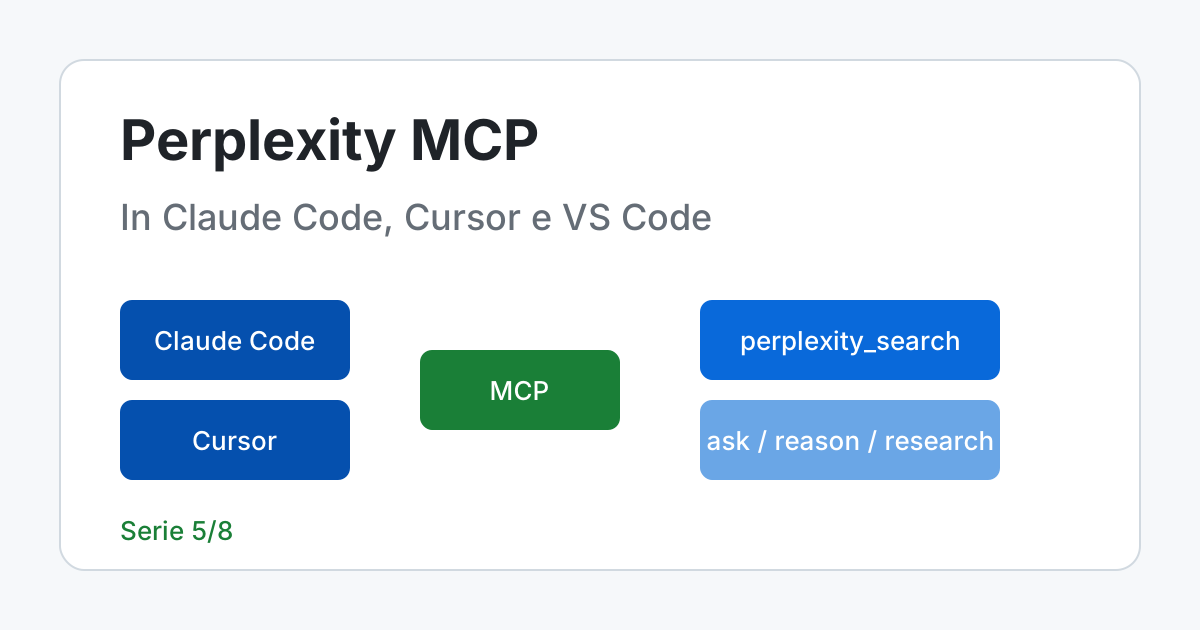
Short answer. Perplexity publishes an MCP server that brings web search into the coding assistant you already use, and the official documentation recommends connecting to the remote one, https://api.perplexity.ai/mcp, either by signing in with your account (OAuth) or with an API key sent as Authorization: Bearer. The alternative is the local package @perplexity-ai/mcp-server, started with npx -y: you need it if your client only speaks stdio or if you want to pin a version. The four tools are perplexity_search, perplexity_ask, perplexity_reason and perplexity_research. The hidden cost: it is the assistant, not you, who decides when to call them, and every call is billed to the key or the organization you are connected with.
Remote or local: the choice that decides who pays and who updates
Perplexity hosts the remote server: you install nothing, you update nothing, and it works with any client that supports remote MCP servers. On first use the client opens the browser, you sign in with your account, choose the API organization to which the calls will be charged and approve the connection. The page spells out two useful limits: the connection can only call the API on behalf of that organization (it cannot create keys, see balances or manage the organization), and you must be an administrator of an API organization able to pay for the usage.
The local server is the same program, open source, running on your machine over stdio. You pick it when the client only supports stdio or when you want to pin the version, and in exchange the API key lives in the environment of the process that starts the client. The documentation warns that the two servers aim to expose the same tools, but transport, authentication, release timing and client behavior may differ: after installing, always check the list of tools that the client actually shows.
Installation, client by client
The commands and configurations in this section are the ones on the official page. I did not run the client commands (claude ...): I did not start any assistant, I have no key and I did not connect to the server. What I did run are the JSON files, in the next section.
Claude Code
For Claude Code the documentation recommends the remote server. After the first command, the /mcp command inside Claude Code starts the sign-in. The second line installs the local package instead: the single quotes around PERPLEXITY_API_KEY=${PERPLEXITY_API_KEY} make the configuration store the reference to the variable and not its value.
# Remote server, sign in with your Perplexity account (OAuth); then /mcp inside Claude Code
claude mcp add --transport http perplexity https://api.perplexity.ai/mcp

# Local server over stdio; the key stays in the environment, the reference is in single quotes
claude mcp add perplexity --env 'PERPLEXITY_API_KEY=${PERPLEXITY_API_KEY}' -- npx -y @perplexity-ai/mcp-server

# As a plugin, from the official repository
claude plugin marketplace add perplexityai/modelcontextprotocol
claude plugin install perplexity@perplexity-mcp-server
If you would rather pass the key to the remote server, the page says to add --header "Authorization: Bearer YOUR_API_KEY" to the first command: in that case the value ends up in the client's configuration, which is exactly the case the script in the next section knows how to recognize in JSON files. For managing servers and permissions see CLI and configuration and security and privacy.
Cursor
{
  "mcpServers": {
    "perplexity": {
      "url": "https://api.perplexity.ai/mcp"
    }
  }
}
This is the ~/.cursor/mcp.json file from the official page: then open Cursor's settings, the Tools & MCP entry, and press “Connect” next to perplexity to sign in. The local example on the same page writes the key in plaintext inside env ("your_key_here"): in a file in your home folder that is your own choice, in a file that ends up in a repository it becomes a published key. Connecting Cursor to databases and APIs is covered in MCP in Cursor.
VS Code
{
  "servers": {
    "perplexity": {
      "type": "http",
      "url": "https://api.perplexity.ai/mcp"
    }
  }
}
In the .vscode/mcp.json file of the workspace: VS Code opens the browser for sign-in the first time the server starts. Note the difference in shape from Cursor: the root key is servers, not mcpServers, and the transport is declared with "type": "http". To use an API key the page proposes an installation with inputs, which asks for the key at startup without writing it in the file:
{
  "servers": {
    "perplexity": {
      "type": "http",
      "url": "https://api.perplexity.ai/mcp",
      "headers": { "Authorization": "Bearer ${input:perplexity-api-key}" }
    }
  },
  "inputs": [
    { "type": "promptString", "id": "perplexity-api-key", "description": "Perplexity API Key", "password": true }
  ]
}
The placeholder ${input:perplexity-api-key} points to the promptString entry with "password": true: VS Code asks for the value and keeps it out of the file. I rebuilt this shape by decoding the one-click install link on the page, so it is the one Perplexity publishes. For the Copilot side see GitHub Copilot, MCP and custom instructions.
Before you trust the configuration: a script that checks it
The .vscode/mcp.json and .mcp.json files live in the repository, so they go into git, so they get read by anyone with access to the code. The script below reads one or more configuration files, finds the servers under mcpServers (Claude Code, Cursor, Windsurf) or servers (VS Code) and flags three defects: a non-https URL, a value in env or in Authorization that is not a reference to a variable (${...}), and a package started with npx without a pinned version. It works without the product, on test files I wrote: four follow shapes published by Perplexity, two are variants built on purpose with a defect, one with a fake key and one with http instead of https.
"""Checks MCP configuration files: plaintext keys, non-https URLs, unpinned packages."""
import json
import re
import sys
from pathlib import Path

REFERENCE = re.compile(r"^\$\{[^}]+\}$")  # ${VARIABLE} or ${input:name}


def servers_of(config):
    # Claude Code, Cursor and Windsurf use "mcpServers"; VS Code uses "servers".
    return config.get("mcpServers") or config.get("servers") or {}


def in_plaintext(value):
    cleaned = value.removeprefix("Bearer ").strip()
    return bool(cleaned) and not REFERENCE.match(cleaned)


def check(path):
    problems, warnings = [], []
    config = json.loads(Path(path).read_text(encoding="utf-8"))
    for name, s in servers_of(config).items():
        url = s.get("url") or s.get("serverUrl")
        if url and not url.startswith("https://"):
            problems.append(f"{name}: URL is not https")
        for key, value in (s.get("env") or {}).items():
            if in_plaintext(value):
                problems.append(f"{name}: env {key} written in plaintext")
        if in_plaintext((s.get("headers") or {}).get("Authorization", "")):
            problems.append(f"{name}: Authorization header in plaintext")
        args = s.get("args") or []
        if s.get("command") == "npx" and not any(re.search(r"@\d", a) for a in args):
            warnings.append(f"{name}: npx package without a pinned version")
    return problems, warnings


if __name__ == "__main__":
    with_problems = 0
    for path in sorted(sys.argv[1:]):
        problems, warnings = check(path)
        status = "PROBLEM" if problems else "ok"
        with_problems += bool(problems)
        print(f"{Path(path).name:36}{status}")
        for m in problems:
            print(f"    problem: {m}")
        for m in warnings:
            print(f"    warning: {m}")
    print(f"files with problems: {with_problems} of {len(sys.argv) - 1}")

# Command: python3 audit_mcp.py prove/*.json
# Output:
# claude-mcp-local.json               ok
#     warning: perplexity: npx package without a pinned version
# cursor-local-plaintext-key.json     PROBLEM
#     problem: perplexity: env PERPLEXITY_API_KEY written in plaintext
# cursor-remote.json                  ok
# http-without-tls.json               PROBLEM
#     problem: perplexity: URL is not https
# vscode-key-from-input.json          ok
# vscode-remote.json                  ok
# files with problems: 2 of 6
Two files out of six have a real problem: the one with the key written in env and the one with http://. The local Claude Code file is accepted because the key is a ${PERPLEXITY_API_KEY} reference, but it gets a warning: npx -y @perplexity-ai/mcp-server downloads and runs the latest published version at startup. Pinning it (for example with @1.3.0, the latest on the npm registry on 13 November 2026 according to npm view @perplexity-ai/mcp-server version) makes the behavior repeatable, but takes away automatic updates: it is a trade-off, not a rule. The limits of the script: it does not know whether the variable really exists (the page says that claude mcp list reports it as missing) and it does not see what the client stores on its own after a command with --header.
Which tool, when, and how much it can cost
| Tool | Behind the scenes | Use it for |
|---|---|---|
perplexity_search | Search API; with search_type: "fast" lower latency and cost | Finding the official page, the changelog, the issue |
perplexity_ask | Agent API, fast level | A pointed question with sources |
perplexity_reason | Agent API, medium level | Multi-step problems and comparisons |
perplexity_research | Agent API, high level | Extended investigations, with citations |
The mapping between tools and levels is the one declared by the MCP page. The search_type: "fast" option of perplexity_search requires the local server from version 1.3.0 onward; the remote one already supports it. The rule I apply is to use perplexity_search to find the address of the official source and read it, not to get a summary, and to keep the other three tools among those that ask for my consent on every call.
The cost has a part you can calculate and a part you cannot. The tool prices are public (the Search API costs 5.00 dollars per thousand requests, 1.00 with fast search; inside the Agent API a fast search costs 0.001 dollars per invocation and a fetch_url 0.0005), while the tokens of the three Agent API tools are paid at the rates of the model used, which depends on the level and which Perplexity updates. The script only calculates the ceiling of the tool fees, with the steps declared today by the “Effort” page (tier version 2026-11-11.0).
"""Tool fees behind the four MCP tools (tokens excluded).

Prices from Perplexity's Pricing page, read on 2026-11-13.
Steps and limits from the Effort page, tier version 2026-11-11.0.
"""
from decimal import Decimal
from fractions import Fraction

MICRO = 1_000_000                       # I work in micro-dollars: no float in the sum
SEARCH_API_STANDARD = 5_000             # $5.00 per 1000 requests
SEARCH_API_FAST = 1_000                 # $1.00 per 1000 requests
WEB_SEARCH_FAST = 1_000                 # web_search with search_type "fast": $0.001 per invocation
FETCH_URL = 500                         # fetch_url: $0.0005 per invocation

# (MCP tool, behind the scenes, documented maximum of invocations, maximum cost of one invocation)
ROWS = [
    ("perplexity_search (standard)", "Search API", 1, SEARCH_API_STANDARD),
    ("perplexity_search (fast)", "Search API, fast", 1, SEARCH_API_FAST),
    ("perplexity_ask", "Agent API, fast", 1, WEB_SEARCH_FAST),       # fast: 1 step, parallel calls off
    ("perplexity_research", "Agent API, high", 40, WEB_SEARCH_FAST),  # high: at most 40 calls
]


def dollars(micro):
    return f"{micro / MICRO:.4f}"


if __name__ == "__main__":
    for name, behind, n, unit in ROWS:
        print(f"{name:30} {behind:18} up to {n:>2} invocations -> ${dollars(n * unit)} in fees")
    print("perplexity_reason (medium): 15 steps, no documented cap on invocations")
    print(f"  if every step were a single fast search: ${dollars(15 * WEB_SEARCH_FAST)} (estimate, not a cap)")
    hundred_standard = 100 * SEARCH_API_STANDARD
    print(f"100 standard perplexity_search: ${dollars(hundred_standard)}")

    # Second, independent calculation: Decimal and Fraction from the prices written as on the page.
    per_thousand = Decimal("5.00") / 1000
    assert Decimal(hundred_standard) / MICRO == 100 * per_thousand
    assert Fraction(40 * WEB_SEARCH_FAST, MICRO) == Fraction(40) * Fraction("1.00") / 1000
    print("check with Decimal and Fraction: agrees")

# Command: python3 tetto_costi.py
# Output:
# perplexity_search (standard)   Search API         up to  1 invocations -> $0.0050 in fees
# perplexity_search (fast)       Search API, fast   up to  1 invocations -> $0.0010 in fees
# perplexity_ask                 Agent API, fast    up to  1 invocations -> $0.0010 in fees
# perplexity_research            Agent API, high    up to 40 invocations -> $0.0400 in fees
# perplexity_reason (medium): 15 steps, no documented cap on invocations
#   if every step were a single fast search: $0.0150 (estimate, not a cap)
# 100 standard perplexity_search: $0.5000
# check with Decimal and Fraction: agrees
Read the perplexity_research row: 40 invocations is a documented limit for the high level (a run makes at most 40 tool calls), so 0.04 dollars is a ceiling on the tool fees, with tokens excluded. For medium the page states 15 steps but no limit on invocations, because the page declares parallel calls switched off only for fast and low: that is why the row is an estimate and not a ceiling. The calculations are in whole micro-dollars and the final check repeats them with Decimal and Fraction, starting from the prices written as on the page.
Checking that it works as you believe
After installing, run three tests, in the order in which they tell you different things:
- ask the assistant to list the available MCP tools and check that the four names appear;
- ask a question whose answer you know and which needs a recent source, for example the documentation page on rate limits, and check that
perplexity_searchwas called and the answer was not given from memory; - ask for a fact you know does not exist and see whether the assistant admits it or invents it, complete with a source.
The last test is the most instructive: it tells you how far you can trust the assistant when sources are not enough, and the result holds for your model and your configuration, not in general. If something goes wrong, the usual suspects are three: the PERPLEXITY_API_KEY variable is not visible to the process that starts the client (easy to happen if you launch it from a graphical launcher instead of a terminal), npx is not on the client's path, or the remote server is waiting for an OAuth consent that you have not yet completed.
The web enters the assistant's context
An assistant with access to the terminal and to files that reads search results is mixing untrusted text with trusted instructions. Brave described the problem in Perplexity's Comet browser on 20 August 2025: when the user asked to summarize a page, part of the content went to the model without distinguishing the user's instructions from the page's text, and instructions hidden in that text were executed. The case is a browser, not MCP, and the surface is different, but the countermeasures Brave proposes hold for any agent that reads the web:
- page content must be treated as untrusted, separated from the user's requests;
- the actions the model proposes must be checked against what the user asked for;
- sensitive operations require explicit interaction, for example a confirmation before sending an email.
For a coding assistant this translates into manual approval for shell commands, for writes outside the working folder and for package installation, and into a simple rule: a command suggested by a search result is read by you before you let it run. No automatic filter on the text replaces that reading.
What leaves your computer
The question the assistant sends contains what you wrote to it or what it has read: class names, error messages, sometimes fragments of code. The API's “Privacy & Security” page says that, under the terms of service, Perplexity does not use customer content to train generative models; it also says that Zero Data Retention is not the default (it is available only to eligible customers, with a written agreement, and not every model supports it) and that for third-party models the terms of the respective providers also apply, some of which require limited retention. It also collects usage metadata such as the number of requests and tokens, the model, times and duration. Hence the minimum rule is written down: no secrets and no personal data in the questions.
Declared scenario: updating a dependency
Hypothesis: you have to move a library to a new major version and you ask the assistant to find, with perplexity_search, the page of breaking changes, reporting the URL and the exact line before touching the code. What goes wrong: the assistant applies a fix read on a blog and referring to another version. Rule: the change goes ahead only if the official changelog is among the cited sources and the project's tests pass.
Declared scenario: a small team with a shared file
Hypothesis: three developers share a repository with a .vscode/mcp.json and one of them, to be quick, writes the key into the header. What goes wrong: the key enters git and cannot leave the history without being regenerated. Remedy: the file in the repository contains only the URL or the ${input:...} reference, each person signs in with their own account or their own key, and the script on this page runs before every commit.
What you can do now
You can choose between the remote and the local server and say who pays and who updates, you can configure Claude Code, Cursor and VS Code without writing the key in a file, you can check the configuration files with a script, and you can estimate the cost of the tool fees alone for each of the four tools. You do not yet know how much the tokens will cost you and how to hold up under 429s: that is the subject of article 6.
← Article 4: from Sonar to the Agent API Article 6: costs, QPS and 429s →
Frequently asked questions
What is Perplexity's official MCP server?
The remote server https://api.perplexity.ai/mcp, recommended by the documentation, or the local package @perplexity-ai/mcp-server, started with npx -y. They expose perplexity_search, perplexity_ask, perplexity_reason and perplexity_research.
How do I install it in Claude Code?
With claude mcp add --transport http perplexity https://api.perplexity.ai/mcp for the remote server, then /mcp to sign in. For the local one: claude mcp add perplexity --env 'PERPLEXITY_API_KEY=${PERPLEXITY_API_KEY}' -- npx -y @perplexity-ai/mcp-server. A plugin also exists.
Which tool costs the least?
perplexity_search, which uses the Search API: 5.00 dollars per thousand requests, 1.00 with search_type fast. The other three use the Agent API at the fast, medium and high levels: tokens at the model's rates plus the tool fees.
Is it safe to let the assistant call search on its own?
The main risk is untrusted web text influencing the assistant's actions. Keep manual approval for commands and writes, and do not put secrets or personal data in questions.
Sources
- Perplexity, Perplexity API MCP Server - remote and local server, sign-in, per-client commands, the four tools and the effort level of each; read in full on 13 November 2026
- Perplexity, Pricing - Search API prices and Agent API tool prices; read in full on 13 November 2026
- Perplexity, Agent API: Effort - steps and call limit of the fast, medium and high levels (version 2026-11-11.0); sections on the level values read on 13 November 2026
- Perplexity, Privacy & Security - training, Zero Data Retention, third-party models, usage metadata; read in full on 13 November 2026
- Brave, Indirect Prompt Injection in Perplexity Comet - description of the problem and proposed countermeasures (published 20 August 2025); sections on the problem and on the mitigations read on 13 November 2026
- Command
npm view @perplexity-ai/mcp-server versionon the npm registry - latest version of the local package, 1.3.0, run on 13 November 2026
Commenti
Caricamento commenti...
Sign in to comment