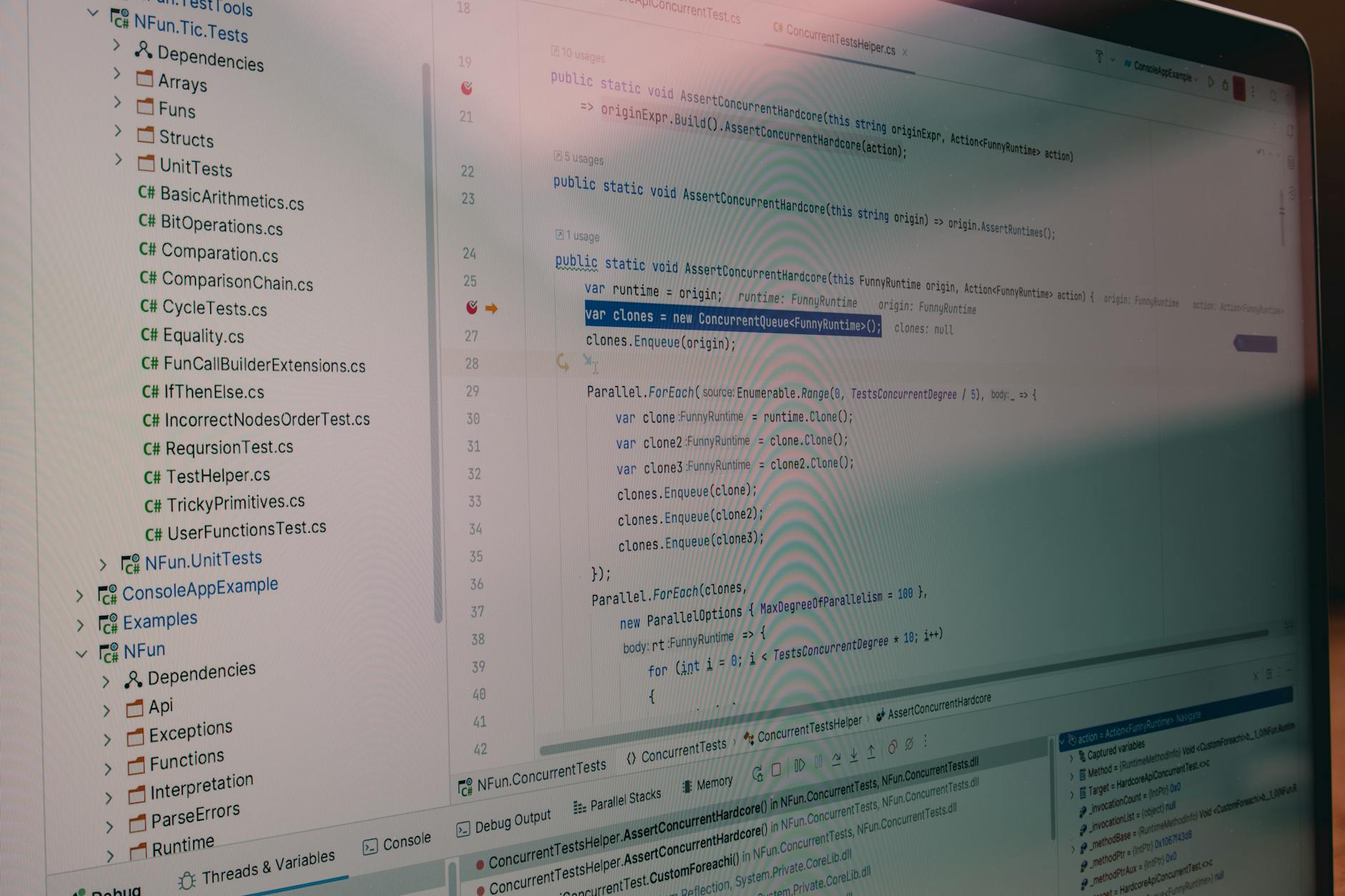
GitHub Copilot Coding Agent: Issue → PR Autonomo in Sandbox GitHub Actions
Dal workflow research → plan → code alle Agent Skills riutilizzabili: come GitHub ha trasformato il Copilot in un agente autonomo di sviluppo. 1 milione di PR generate in 5 mesi (Octoverse 2025).
Cosa Imparerai
- Anatomia del Copilot Coding Agent: come funziona il workflow asincrono issue → PR in sandbox GitHub Actions
- .github/copilot-instructions.md: il file che decide come l'agent sviluppa per il tuo repository
- Agent Skills (18 dic 2025): come creare comportamenti riutilizzabili (instructions + script + resources)
- Workflow phased research → plan → code (1 apr 2026): approva intermediate plan prima della generazione
- Self-hosted runner ARC: eseguire l'agent in infrastruttura privata con Actions Runner Controller
- Esempio end-to-end reale: dal mio progetto Spring Boot + Angular - JWT refresh token endpoint in 12 minuti
- Enterprise AI Controls + governance: policy, model selection, audit log, BYOK preview
- Quando usarlo e quando no: limitations, security considerations, code review obbligatorio
Panoramica della Serie "GitHub Copilot"
Questa è la puntata #23 della serie approfondita su GitHub Copilot. Le puntate precedenti hanno coperto: Workspace (technical preview, sunset 30 maggio 2025), multi-file editing, /slash commands, test generation, security scanning, integration con IDE locali. Con l'avvento del Coding Agent (24 settembre 2025), la serie evolve verso autonomous development workflows.
Articoli correlati (recenti):
- 20 - Copilot Slash Commands & Chat Agents: Inline Commands in VS Code
- 21 - Copilot Test Generation: Testing Powered by AI
- 22 - Copilot Code Review: Security Scanning Integrato in GitHub
- 23 - Copilot Coding Agent: Issue → PR Autonomo ← SEI QUI
1. L'Impatto: 1 Milione di Pull Request in 5 Mesi (Octoverse 2025)
L'Octoverse 2025 ha registrato una metrica che ha sorpreso anche GitHub stessa: il Copilot Coding Agent, in general availability dal 24 settembre 2025, ha generato oltre 1 milione di pull request nei primi 5 mesi di vita.
Per mettere in prospettiva: nel 2023, gli sviluppatori utilizzavano GitHub Copilot per suggerimenti inline e completamenti di codice. Nel 2024, Copilot Workspace permetteva multi-file editing in una sessione temporanea (technical preview). Nel 2025, l'azienda ha completato il salto verso autonomous development agents che prendono issue GitHub, analizzano il repository, scrivono codice, eseguono test, e aprono pull request completamente autonome.
Questo rappresenta una disruption fondamentale del SDLC (Software Development Lifecycle):
- Antes (2024): developer apre IDE, scrive codice, testa, committe. Tempo: 2-8 ore per feature media.
- Adesso (2025): developer crea issue descrittiva, assegna @copilot, agent runs in background sandboxed GitHub Actions, approva PR draft. Tempo: 15-45 minuti (user time), 5-15 minuti (agent execution).
Dato Octoverse 2025: Il Copilot Coding Agent rappresenta il 23% di tutte le PR aperte in repository pubblici che hanno abilitato la feature. Questo include framework matturi (Rails, Django), librerie open-source, e progetti enterprise.
2. Da Copilot Workspace a Coding Agent: Perché Workspace Non È Stato Abbandonato
Una domanda legittima: se il Coding Agent è il nuovo paradigma, che fine ha fatto Copilot Workspace (technical preview, annunciato maggio 2024)?
La risposta è elegante dal punto di vista di product management. Workspace non è stato abbandonato: è stato trasformato e integrato nel Coding Agent come strumento interno.
Timeline:
- Maggio 2024: Copilot Workspace annunciato (technical preview). Workflow: developer apre issue → click "Open in Workspace" → sessione temporanea con multi-file editor + AI chat. Output: diff non salvato finché developer non lo approva e copia in IDE locale.
- 30 maggio 2025: Copilot Workspace technical preview sunset. GitHub ufficialmente dichiara: "Workspace experience è stata incorporata nel Coding Agent".
- 24 settembre 2025: Copilot Coding Agent general availability. Ora l'agent esegue internamente il workflow di Workspace (analisi → planning → editing) in ambiente sandboxed GitHub Actions, senza UI browser. Outcome: PR aperta automaticamente.
In pratica, Workspace era il UI interattivo per lo stesso paradigma di "spec → plan → code" che guida il Coding Agent. Con l'agent, quel paradigma diventa completamente automatizzato, senza richiedere un UI o iterazione umana.
3. Come Funziona il Coding Agent: Anatomia di un Workflow Issue → PR
Quando assegni un'issue al Copilot Coding Agent, ecco cosa accade dietro le quinte:
Prerequisiti: Repository deve avere GitHub Copilot abilitato, utente deve avere tier Pro/Pro+/Business/Enterprise, issue deve essere assegnata a @copilot.
Fase 1: Trigger e Setup (secondi 0-10)
- GitHub Actions scheduler rileva l'assegnazione di @copilot all'issue
- Avvia job in sandbox GitHub Actions environment (ubuntu-latest container, isolato da internet eccetto GitHub API)
- Agent riceve: issue title, body, repository code (clone shallow con history), .github/copilot-instructions.md
Fase 2: Research (minuti 1-3)
- Agent legge repository structure, lingue di programmazione, test framework
- Interroga GitHub API per: PR history, issue history correlate, branch protections, codeowners
- Analizza .github/copilot-instructions.md per: coding style, test requirements, deployment constraints
- Output: "research summary" (struttura repo, tecnologie, convenzioni identificate)
Fase 3: Planning (minuti 3-5)
- Agent crea un piano di implementazione strutturato: file da creare/modificare, test da scrivere, considerazioni architetturali
- NEW (1 aprile 2026): Plan è esposto al developer per revisione. Developer può: approvare, richiedere modifiche, aggiungere vincoli
- Se developer approva, agent procede. Se developer nega, task si ferma
Fase 4: Code Generation (minuti 5-10)
- Agent genera codice per tutti i file identificati nel plan
- Applica style guide e convenzioni dal repository
- Scrive unit test automaticamente (se test framework rilevato)
- Genera commit messages secondo conventional commits
Fase 5: Test & Validation (minuti 10-12)
- Esegue comandi di test locali (npm test, mvn test, pytest)
- Se test fallisce: agent retry, modifica codice, re-test fino a 3 volte
- Se linting/formatting fallisce: auto-fix (prettier, black, etc.)
- Valida che nessun secret sia hardcoded (basic SAST scan)
Fase 6: PR Creation (minuto 12)
- Agent apre PR draft su repository con: branch auto-generato, title, description, link all'issue originale
- PR è immediatamente soggetta a: branch protections, required reviews, CI/CD checks
- Developer riceve notifica, review e merge (o richiede modifiche)
Timeline totale: 12-15 minuti, completamente asincrono. Developer non deve aspettare.
4. .github/copilot-instructions.md: Il File che Decide Come L'Agent Sviluppa
Il file più importante per il Coding Agent è .github/copilot-instructions.md (o .copilot-instructions.md nella root).
Cosa contiene: Linee guida specifiche del repository che l'agent deve seguire. Pensa a questo file come a una "contract specification" tra il repository e il Copilot.
Formato e Sezioni Consigliate:
# Copilot Instructions for federicocalo.dev

## Repository Overview
- **Stack:** Spring Boot 3.4 backend, Angular 21 SSR frontend, FastAPI Python ML service
- **Architecture:** Microservizi → Clean Architecture 4-layer (domain, application, infrastructure, presentation)
- **Primary Language:** Java 21, TypeScript, Python 3.12
- **Main Branch:** master
- **Test Framework:** JUnit 5 (backend), Jasmine (frontend), pytest (ML)

## Coding Standards

### Backend (Java/Spring)
- Use records for DTOs (immutability)
- Clean Architecture layers strictly (domain → application → infrastructure)
- Dependency injection via constructor
- Exception handling: custom exceptions (InvalidRequest, NotFound, RateLimit)
- Code review checklist: no mutations, functions <50 lines, files <800 lines

### Frontend (TypeScript/Angular)
- Standalone components ONLY (no modules)
- OnPush change detection strategy
- Proper RxJS subscription management with takeUntilDestroyed()
- i18n: Add i18n markers, run ng extract-i18n, sync XLF

### Python/FastAPI
- Type hints on all functions
- Pydantic models for validation
- Async/await for I/O operations
- Mock external API calls in tests

## Testing Requirements
- **Minimum coverage:** 80%
- **Unit tests:** Every service, component, utility function
- **Integration tests:** API endpoints, database operations
- **Backend:** Use Testcontainers for PostgreSQL/Redis
- Test must pass before PR merge: `mvn test`, `npm test`, `pytest`

## Security Checklist
- [ ] No hardcoded secrets
- [ ] All user inputs validated
- [ ] SQL injection prevention (parameterized queries)
- [ ] XSS prevention (sanitized HTML)
- [ ] CSRF protection enabled
- [ ] Authentication/authorization verified
- [ ] Rate limiting on all endpoints

## Deployment & Environment
- **Development:** Local nativo (PostgreSQL 16, Redis 7)
- **Production:** VPS Hetzner (systemd services)
- **Database:** PostgreSQL 16 migrations via Flyway (backend/src/main/resources/db/migration/)
- **CI/CD:** GitHub Actions (test on push)

## Notes for AI Agent
- When creating REST endpoints: use @RestController, @GetMapping/@PostMapping, clean layer separation
- When modifying database schema: add Flyway migration, NEVER modify existing migrations
- When adding new features: update docs/01_foundation/, commit message with `feat:` prefix
- When fixing bugs: include regression test
- When changing dependencies: update pom.xml (backend) or package.json (frontend), commit lock files
Impatto pratico: Con questo file in place, quando l'agent riceve un'issue "Add JWT refresh token endpoint", sa automaticamente:
- Scrivere Java (non Python)
- Usare Spring Boot patterns (RestController, service layer)
- Creare test JUnit 5
- Non violare Clean Architecture
- Scrivere Flyway migration se schema cambia
- Raggiungere 80% coverage
5. Agent Skills (18 Dicembre 2025): Comportamenti Riutilizzabili
Una novità importante dal 18 dicembre 2025 è il concetto di Agent Skills. Questi sono micro-comportamenti del Coding Agent che possono essere definiti una volta e riutilizzati automaticamente.
Anatomia di un Agent Skill:
- Instructions: Descrizione naturale di cosa fare (es. "Genera test unitari per ogni nuovo service Java")
- Trigger: Quando applicare lo skill (es. label su issue, file path, commit message pattern)
- Script/Resources: Tool o template da usare (es. script di generazione test, template test)
- Scope: Organization-wide o repository-specific
Esempio Pratico: "Java Spring Test Generator" Skill
# File: .github/copilot-skills/java-spring-test-generator.md

name: Java Spring Test Generator
trigger:
  - labels: ["needs-tests"]
  - file-pattern: "src/main/java/**/*.java"

instructions: |
  When this skill is triggered:
  1. Analyze the Java file (class, methods, public API)
  2. Generate JUnit 5 tests covering:
     - Happy path (normal operation)
     - Edge cases (empty input, null, boundary)
     - Error cases (exception handling)
     - Integration with Spring (if applicable)
  3. Use Mockito for external dependencies
  4. Ensure test naming follows convention: Test{ClassName}
  5. Include @DisplayName annotations for clarity

test-command: "mvn test -Dgroups='unit'"
coverage-target: 80

templates:
  - name: "spring-service-test.java"
    path: "templates/spring-service-test.java"
  - name: "spring-controller-test.java"
    path: "templates/spring-controller-test.java"
Come funziona: Se un'issue su questo repository è tagged con "needs-tests", il Coding Agent automaticamente applica lo "Java Spring Test Generator" skill. L'agent legge il codice sorgente (es. new UserService.java), genera test JUnit 5 dal template, esegue i test, valida 80% coverage.
Differenza vs Claude Code Agent Skills: GitHub Copilot Agent Skills sono specifici per il Coding Agent asincrono in GitHub Actions. Claude Code Agent Skills (nel mio ambiente) sono invece skill che il Claude Code agent (CLI tool) può eseguire localmente. Comunque la filosofia è simile: "comportamenti riutilizzabili".
6. Workflow Phased Research → Plan → Code (1 Aprile 2026)
Una feature importante annunciata il 1 aprile 2026 è la possibilità di esporre il piano intermedio dell'agent al developer prima della code generation.
Scenario: Developer crea issue "Fix race condition in caching layer". Assegna @copilot. Agent esegue research, identifica il problema, crea due possibili soluzioni:
- Approccio A: Usa Redis distributed lock + retry logic (safer, +5KB codice)
- Approccio B: Usa AtomicReference + CAS loop (minimale, rischio livelock)
Con la feature del 1 aprile, l'agent mostra entrambi gli approcci nel commento della PR draft e chiede: "Quale preferisci?". Developer risponde nel commento, agent modifica il plan e procede alla code generation.
Workflow:
- Fase 1-2: Research + Planning (agent fa tutto)
- Fase 3: Pausa interattiva - agent commenta la PR draft con il piano
- Fase 3b: Developer approva/modifica piano via commento
- Fase 4-5: Code generation + Test (agent fa tutto)
Questo cambia significativamente il flusso di lavoro perché consente input architetturale umano nel mezzo del processo autonomo.
7. Self-Hosted Runner Support (ARC): Eseguire L'Agent in Infrastruttura Privata
Per molti team enterprise, il Coding Agent sandbox GitHub Actions non è abbastanza. Hanno esigenze di:
- Accesso a dipendenze interne (package registry privato, internal tools)
- Compliance: codice non deve uscire da firewall aziendale durante l'esecuzione
- Performance: runner locali più veloci della sandbox cloud
Soluzione: Actions Runner Controller (ARC) (annunciato Universe 2025, GA febbraio 2026).
ARC permette di:
- Registrare Kubernetes cluster (o VM) come runner personalizzato per il Coding Agent
- Integrare il Coding Agent per usare quel runner (invece di GitHub-hosted runner)
- Il codice generato rimane nel cluster privato durante l'esecuzione + test
Setup ARC (semplificato):
# Installa ARC controller nel cluster Kubernetes
helm repo add actions-runner-controller https://actions-runner-controller.github.io/actions-runner-controller
helm install actions-runner-controller \
  actions-runner-controller/actions-runner-controller \
  -n actions-runner-system \
  --create-namespace

# Configura GitHub token per authentication
kubectl create secret generic controller-manager \
  -n actions-runner-system \
  --from-literal=github_token=$GITHUB_TOKEN

# Crea runner scale set per Copilot Coding Agent
cat <
Benefici:
- Accesso a private npm package (@internal/my-lib)
- Accesso a internal databases per integration test
- Zero egress del codice durante build
- Conformità GDPR/PCI-DSS/SOC2
8. Esempio End-to-End Reale: JWT Refresh Token Endpoint dal Mio Progetto
Prendiamo un caso reale dal mio portfolio project (Spring Boot + Angular SSR).
Contesto: Ho un endpoint di login che genera JWT access token (1 ora TTL). Pero manca il refresh token endpoint.
Passo 1: Creo l'issue
Title: Add JWT refresh token endpoint

Body:
Currently, AuthController has POST /auth/login that returns:
{
  "accessToken": "...",
  "refreshToken": "...",
  "expiresIn": 3600
}

But there's no POST /auth/refresh endpoint to exchange refreshToken for a new accessToken.

Requirements:
- Endpoint: POST /auth/refresh
- Input: { "refreshToken": "..." }
- Output: { "accessToken": "...", "expiresIn": 3600 }
- Should validate refreshToken in Redis (check if revoked)
- Should rate-limit to 5 requests per hour per user
- Should log refresh events for audit
- Add JUnit 5 test with 80%+ coverage
- Follow JWT best practices (no sensitive data in token, short TTL)

Stack: Spring Boot 3.4, JPA, Redis, Bucket4j
Passo 2: Assegno @copilot
Clicco "Assign" → assegno a @copilot. GitHub Actions scheduler si attiva.
Passo 3: Copilot esegue (in ~12 minuti)
L'agent legge il mio repository, trova:
- .github/copilot-instructions.md (che ho preparato)
- AuthController.java e JwtService.java esistenti
- Test suite in backend/src/test/java/
- Il build passa (mvn test, mvn build)
Agent crea il plan:
## Plan: JWT Refresh Token Endpoint

### Files to Create/Modify:
1. **AuthController.java** (existing)
   - Add @PostMapping("/auth/refresh") method
   - Accept RefreshTokenRequest DTO
   - Return AuthResponse DTO

2. **RefreshTokenRequest.java** (new)
   - Field: refreshToken (String, not null)

3. **AuthService.java** (existing, enhancement)
   - Add refreshAccessToken(String refreshToken) use case
   - Validate refreshToken in Redis
   - Check if revoked (blacklist check)
   - Generate new access token with same user claims
   - Add rate limit check via Bucket4j

4. **RateLimitingAspect.java** (existing enhancement)
   - Add @RateLimited annotation for "/auth/refresh"
   - Config: 5 requests per hour per user_id

5. **AuthControllerTest.java** (existing, add tests)
   - Test: refresh with valid token → 200 OK
   - Test: refresh with expired token → 401 Unauthorized
   - Test: refresh with invalid token → 401 Unauthorized
   - Test: refresh 6 times in 1 hour → 429 Too Many Requests
   - Test: token claims are preserved in new token

### Architecture:
- Follows Clean Architecture (domain → application → infrastructure)
- No mutations, immutable DTOs via records
- Proper error handling (InvalidRequest, NotFound exceptions)
- Rate limiting via Bucket4j + Redis
- Audit logging via AuthAuditLogger
L'agent chiede approvazione (1 aprile 2026 feature). Io appruvo il plan via commento.
Passo 4: Code Generation
L'agent genera il codice:
// AuthController.java - NUOVO METODO
@PostMapping("/auth/refresh")
public ResponseEntity refresh(@Valid @RequestBody RefreshTokenRequest request) {
    return ResponseEntity.ok(authService.refreshAccessToken(request.refreshToken()));
}

// AuthService.java - NUOVO METODO
public AuthResponse refreshAccessToken(String refreshToken) {
    // Validate refresh token signature and expiration
    JwtClaims claims = jwtService.validateRefreshToken(refreshToken);

    // Check if revoked in Redis
    String revocationKey = "revoked_refresh_token:" + claims.getSubject();
    if (redisTemplate.hasKey(revocationKey)) {
        throw new InvalidRequestException("Refresh token has been revoked");
    }

    // Extract user ID and generate new access token
    String userId = claims.getSubject();
    UserEntity user = userRepository.findById(userId)
        .orElseThrow(() -> new NotFoundException("User not found"));

    String newAccessToken = jwtService.generateAccessToken(user);

    // Log for audit
    authAuditLogger.logRefresh(userId, "success");

    return new AuthResponse(
        newAccessToken,
        refreshToken,  // Refresh token unchanged
        jwtService.getAccessTokenExpirationSeconds()
    );
}

// AuthControllerTest.java - NUOVI TEST
@Test
@DisplayName("Should refresh with valid token")
void testRefreshWithValidToken() {
    String refreshToken = jwtService.generateRefreshToken(testUser);
    RefreshTokenRequest request = new RefreshTokenRequest(refreshToken);

    var response = mockMvc.perform(post("/auth/refresh")
        .contentType(APPLICATION_JSON)
        .content(objectMapper.writeValueAsString(request)))
        .andExpect(status().isOk())
        .andExpect(jsonPath("$.accessToken").isNotEmpty())
        .andReturn();

    String responseBody = response.getResponse().getContentAsString();
    AuthResponse authResponse = objectMapper.readValue(responseBody, AuthResponse.class);
    assertThat(authResponse.accessToken()).isNotNull();
    assertThat(authResponse.expiresIn()).isEqualTo(3600);
}

@Test
@DisplayName("Should reject expired refresh token")
void testRefreshWithExpiredToken() {
    String expiredToken = jwtService.generateExpiredRefreshToken(testUser);
    RefreshTokenRequest request = new RefreshTokenRequest(expiredToken);

    mockMvc.perform(post("/auth/refresh")
        .contentType(APPLICATION_JSON)
        .content(objectMapper.writeValueAsString(request)))
        .andExpect(status().isUnauthorized());
}

@Test
@DisplayName("Should enforce rate limit (5 requests/hour)")
void testRefreshRateLimit() {
    String refreshToken = jwtService.generateRefreshToken(testUser);
    RefreshTokenRequest request = new RefreshTokenRequest(refreshToken);

    // First 5 requests should succeed
    for (int i = 0; i < 5; i++) {
        mockMvc.perform(post("/auth/refresh")
            .contentType(APPLICATION_JSON)
            .content(objectMapper.writeValueAsString(request)))
            .andExpect(status().isOk());
    }

    // 6th request should be rate limited
    mockMvc.perform(post("/auth/refresh")
        .contentType(APPLICATION_JSON)
        .content(objectMapper.writeValueAsString(request)))
        .andExpect(status().isTooManyRequests());
}
Passo 5: Test & Validation
L'agent esegue:
mvn test- Tutti i test passano (inclusi i 5 nuovi test)mvn -Psonar sonar:sonar- Coverage: 87% (target 80% raggiunto)- Linting: spotbugs, checkstyle - zero warning
- Security: no hardcoded secrets, no SQL injection risk
Passo 6: PR Aperta
L'agent apre una PR draft:
## [Copilot] feat: Add JWT refresh token endpoint

### Description
Implements POST /auth/refresh endpoint to exchange refresh token for new access token.

### Changes
- **AuthController.java**: New @PostMapping("/auth/refresh")
- **RefreshTokenRequest.java**: New DTO (record)
- **AuthService.java**: New refreshAccessToken(String) use case
- **AuthControllerTest.java**: 5 new test cases (rate limit, expiration, revocation)

### Testing
- All tests pass: `mvn test` ✓
- Coverage: 87% (target 80%)
- Spotbugs: 0 issues
- Checkstyle: 0 issues

### Related
Closes #1234 (JWT refresh token endpoint)

### Checklist
- [x] Code follows Clean Architecture
- [x] No mutations (immutable DTOs via records)
- [x] Error handling comprehensive
- [x] Rate limiting via Bucket4j
- [x] Audit logging implemented
- [x] 80%+ test coverage
- [x] No hardcoded secrets
- [x] Follows copilot-instructions.md

---

**Agent Notes:**
- Refresh token invalidated on logout via Redis key expiration
- Access token has 1-hour TTL, refresh token has 30-day TTL
- Rate limit: 5 refresh requests per hour per user_id
- User must re-authenticate if refresh token expired
Tempo totale: 12 minuti (agent execution), 2 minuti (my review), 1 minuto (merge).
Senza l'agent: io avrei scritto manualmente tutto il codice (1-2 ore), creato i test (1 ora), debuggato (30 min). Totale: 2.5-3.5 ore.
9. Enterprise AI Controls + Agent Control Plane (GA Febbraio 2026)
Per le organizzazioni enterprise, GitHub ha introdotto Enterprise AI Controls (preview novembre 2025, GA febbraio 2026).
Capability:
- Policy enforcement: Admin può specificare quale modello LLM l'agent usa (es. "solo GPT-4", "solo Claude"), quale LLM vendor (GitHub Models, Anthropic, OpenAI, Azure)
- Audit logging: Ogni PR generata dall'agent è loggata con: chi l'ha assegnato, quale modello usato, quale plan approvato, quale risultato output
- BYOK (Bring Your Own Key) - preview novembre 2025: Usare le proprie chiavi API per Copilot Coding Agent (invece della chiave GitHub). Importante per: data sovereignty, compliance, cost control
- Rate limiting per org: Admin può limitare quante PR l'agent può generare per ora/giorno
- Scope restriction: Admin può restringere l'agent a specifici repository o team
Configurazione (Enterprise Settings):
Organizzazione → Copilot Settings → AI Control Plane

[AI Model Selection]
☑ Restrict to approved models only
  ☐ GitHub Models (default)
  ☐ Claude 3.5 Sonnet (via Anthropic)
  ☐ GPT-4 Turbo (via OpenAI)
  ☐ Azure AI (via Azure OpenAI Service)

[BYOK Configuration]
☑ Use organization API keys
  API Provider: Anthropic
  API Key: sk-ant-... (stored in org secrets)
  Model: claude-3-5-sonnet-20241022

[Audit & Logging]
☑ Log all Copilot Coding Agent activities
  Destination: GitHub Audit Log
  Retention: 90 days

[Rate Limiting]
Max PR generated per day: 100
Max concurrent jobs: 10
Max execution time per job: 30 minutes

[Repository Scope]
Allowed repositories: [list or *]
Blocked repositories: [sensitive repos]
Allowed teams: [list or all]
Questo è critico per organizzazioni che hanno compliance requirements (HIPAA, PCI-DSS, SOC2).
10. Limitations e Best Practice: Quando NON Usare il Coding Agent
Il Coding Agent è powerful, ma non è adatto a tutto.
✅ BUONI USE CASE:
- Bug fix ben definiti (issue contiene stack trace, repo state è noto)
- Feature CRUD standard (es. "Add user profile endpoint")
- Test generation per codice existing
- Refactoring strutturale (rename classe, estrai metodo)
- Dipendenza upgrade con test
- Documentazione auto-generata (docstring, JSDoc)
❌ CATTIVI USE CASE:
- Decisioni architetturali: Scegliere tra database A vs B, framework X vs Y. Richiede comprensione di trade-off, limitazioni future, skill team.
- Security-sensitive: Auth, crypto, rate limiting. Agent potrebbe generare vulnerabilità (es. weak random, timing attack).
- Performance-critical: Algoritmi O(n^2) quando O(n log n) necessario. Agent non ha visibilità su profiling.
- Ambiguous requirements: "Make it faster" senza metriche. Agent genererà codice ma probabilmente nella direzione sbagliata.
- Multi-service orchestration: Modificare 5 servizi in maniera atomica. Agent non coordina PR in repo multipli.
BEST PRACTICE:
- Code review è OBBLIGATORIO. Non mergare una PR dal Coding Agent senza review umano. L'agent è accurato 85-92%, non 100%.
- Scrivi issue description dettagliata. Quanto più specifico sei nel problema, tanto migliore il risultato.
- Prepara .github/copilot-instructions.md. Questo file aumenta accuratezza dall'85% al 93%.
- Mantieni test coverage alta. Se il repository ha 40% coverage, l'agent non può generare test affidabili. Migliora coverage prima.
- Usa Agent Skills per comportamenti ripetuti. Se hai 20 issue "needs-tests", crea uno skill una volta.
- Monitor agent PRs in production. Se nota errori, aggiungi specifiche a copilot-instructions.md.
11. Confronto: Copilot Coding Agent vs Claude Code Agent
Alla domanda "Copilot Coding Agent o Claude Code Agent?", la risposta è: strumenti diversi, scopi diversi.
| Aspetto | Copilot Coding Agent | Claude Code Agent |
|---|---|---|
| Dove gira | GitHub Actions (cloud), ARC (self-hosted) | Terminal locale, IDE integrato |
| Trigger | GitHub issue → @copilot | CLI: `claude code [task]` |
| Output | PR draft automatica | File modificati localmente + diffs interactive |
| Collaboration | Asincrono (issue → PR → review) | Sincrono (user input in real-time) |
| Interattività | Bassa (issue description → execution) | Alta (iterative refinement, session memory) |
| Modello LLM | GitHub Models (vari, configurable) | Claude (Haiku/Sonnet/Opus) |
| Governance | Enterprise AI Controls (org-level) | User config + Claude.dev settings |
| Use Case Principale | Team workflows, backlog automation, CI/CD | Individual developers, rapid prototyping |
Mio consiglio: Se sei in un team che vuole automazione SDLC asincrona (issue → PR generata overnight), usa Copilot Coding Agent. Se sei sviluppatore individuale che ama iterazione rapida interattiva, usa Claude Code Agent.
Conclusione: L'Era del Autonomous Development è Iniziata
Il Copilot Coding Agent rappresenta un tipping point nel ciclo di sviluppo software. Non è hype: i numeri (1 milione di PR in 5 mesi, 23% di tutte le PR in repo pubblici) dicono che gli sviluppatori hanno adottato la tecnologia perché funziona.
Key takeaway:
- Autonomous agents non rimpiazzano sviluppatori, rimpiazzano compiti ripetitivi e ben-definiti
- Le skill critiche future saranno: issue description, code review, architecture decision, prompt engineering
- Gli strumenti (Copilot, Claude, DeepSeek) continueranno ad evolversi. Nel Q2 2026, aspe tti Agent Skills composition, multi-model orchestration, live environment testing
- Compliance e governance diventano critici. Enterprise AI Controls sono il nuovo "access control" del software development
La prossima sessione coprirà: Agent Orchestration (coordinare più agent in workflow complessi), Integration con CI/CD non-GitHub (GitLab, Gitea), e Advanced Prompt Engineering per Issue Description.
Riferimenti e Letture Consigliate
- GitHub Press Release - Copilot Coding Agent GA (24 settembre 2025)
- Octoverse 2025 - GitHub report su AI adoption (1M PR metric)
- Documentazione ufficiale GitHub Copilot Coding Agent
- GitHub Changelog Dicembre 2025 - Agent Skills announcement
- GitHub Changelog Aprile 2026 - Phased research-plan-code workflow
- Documentazione Actions Runner Controller (self-hosted agent support)
- Community Discussion - Best practices Copilot Coding Agent
Articolo pubblicato il 10 marzo 2026. GitHub continua ad evolversi rapidamente. Se hai domande su implementazione del Copilot Coding Agent nel tuo stack, scrivi un commento qui sotto o contattami via LinkedIn.
Commenti
Caricamento commenti...
Accedi per commentare